Guide · Get started · Lesson 1
Install the app on Windows or Mac
Download the app, open it for the first time and let it get your computer ready.
Step by step
- Download the app from your account page: the .exe for Windows or the .dmg for a Mac.
- On Windows, run the installer. If Windows says Windows protected your PC, click More info, then Run anyway. On a Mac, open the .dmg and drag Framepillar into the Applications folder, then open it from there.
- Sign in when the app asks you to. The next lesson shows how.
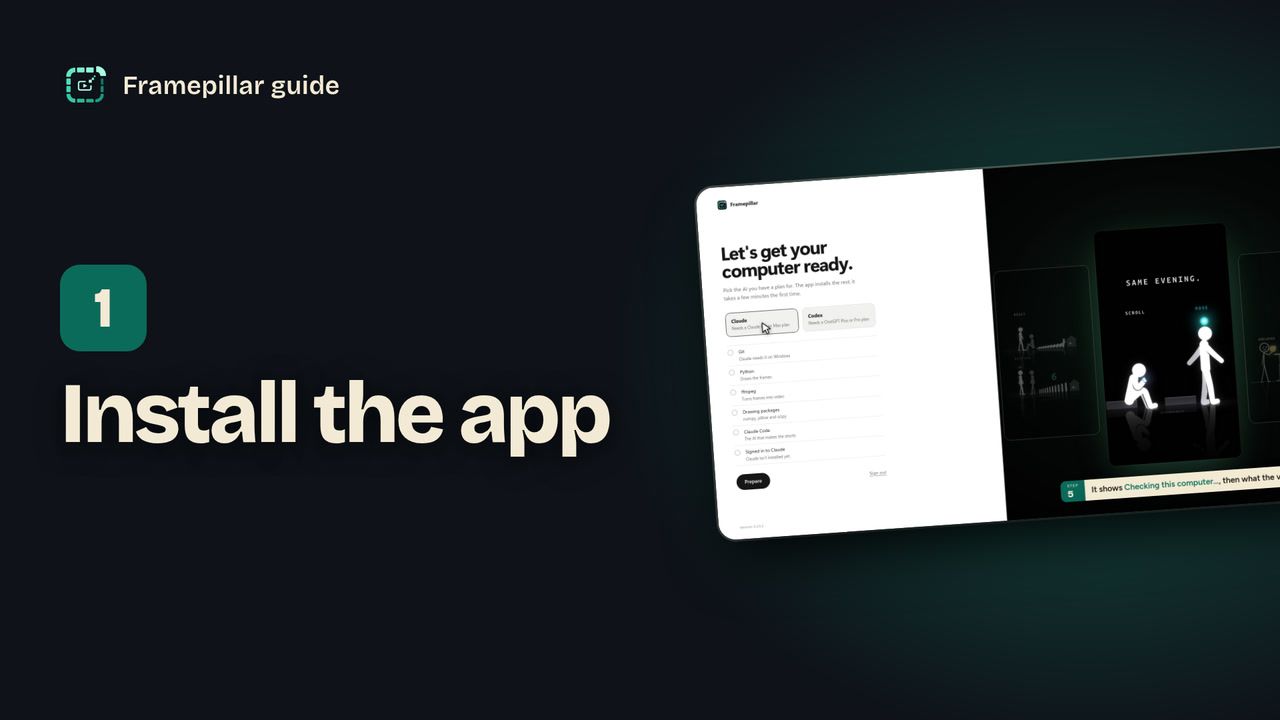
- The app opens Let's get your computer ready. Pick the AI you have a plan for: Claude (needs a Claude Pro or Max plan) or Codex (needs a ChatGPT Plus or Pro plan).
- Wait while it shows Checking this computer… It lists what the videos need: Python to draw the frames, ffmpeg to turn frames into video, the drawing packages, and Claude Code or Codex. On Windows with Claude it also lists Git.
- Press Prepare. Each line changes to Installing… and then Installed. The first time this takes a few minutes.
- If the button now says Sign in to Claude, press it and sign in (lesson 3 shows how). When every line is ticked, press Continue. The app opens Your first project. Pick an idea and press Make it, or press Look around first to go to Home.
Every step, in pictures
Screens from the video, in order. Click one to see it full size.
-
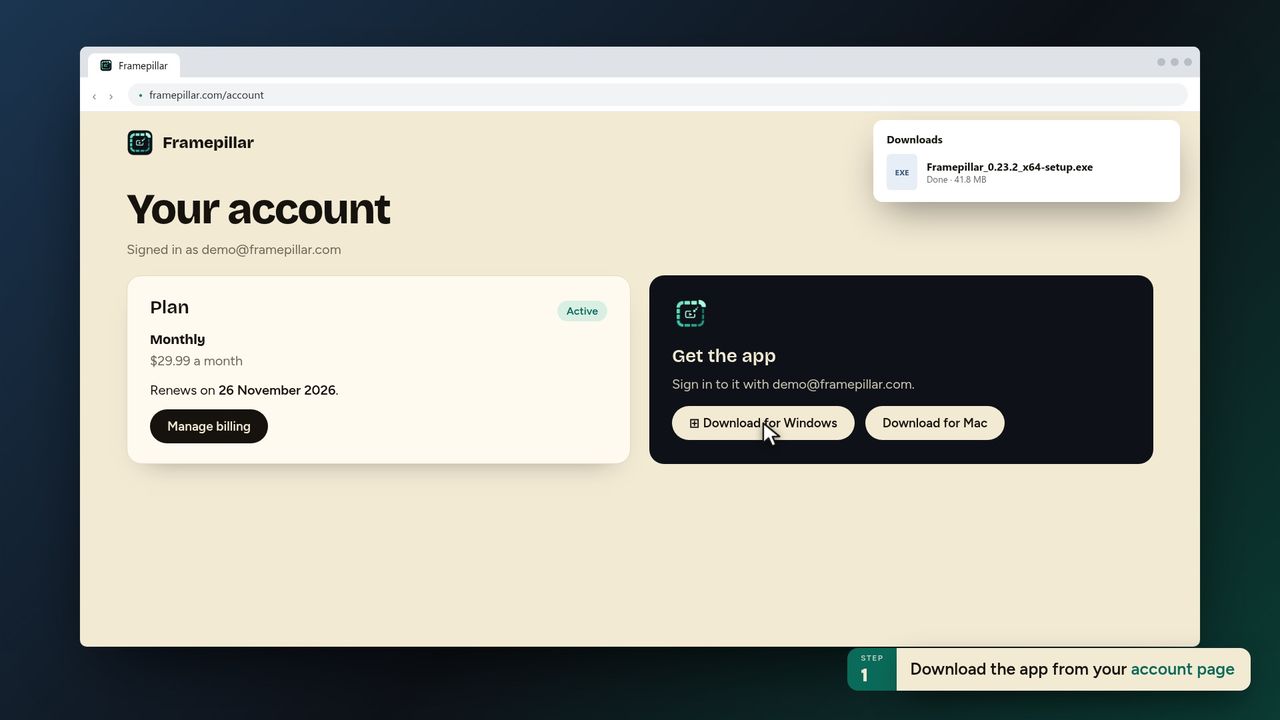
1Download the app from your account page -
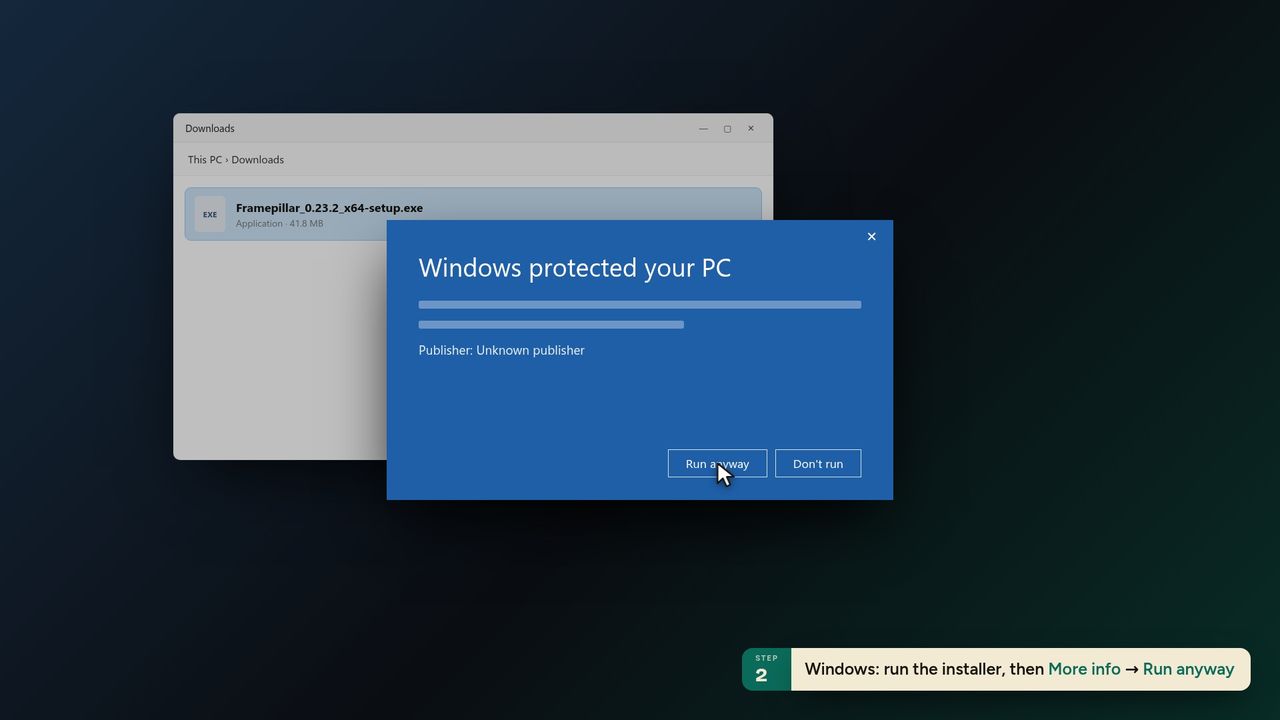
2Windows: run the installer, then More info → Run anyway -
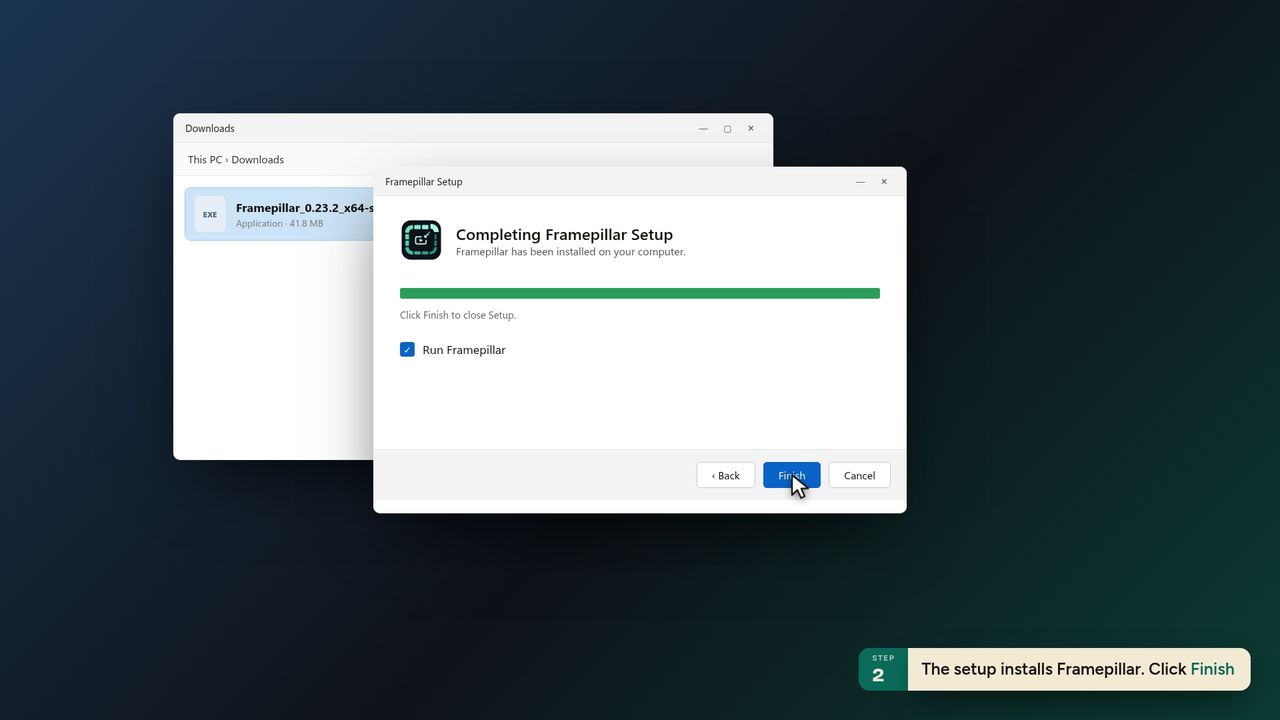
3The setup installs Framepillar. Click Finish -
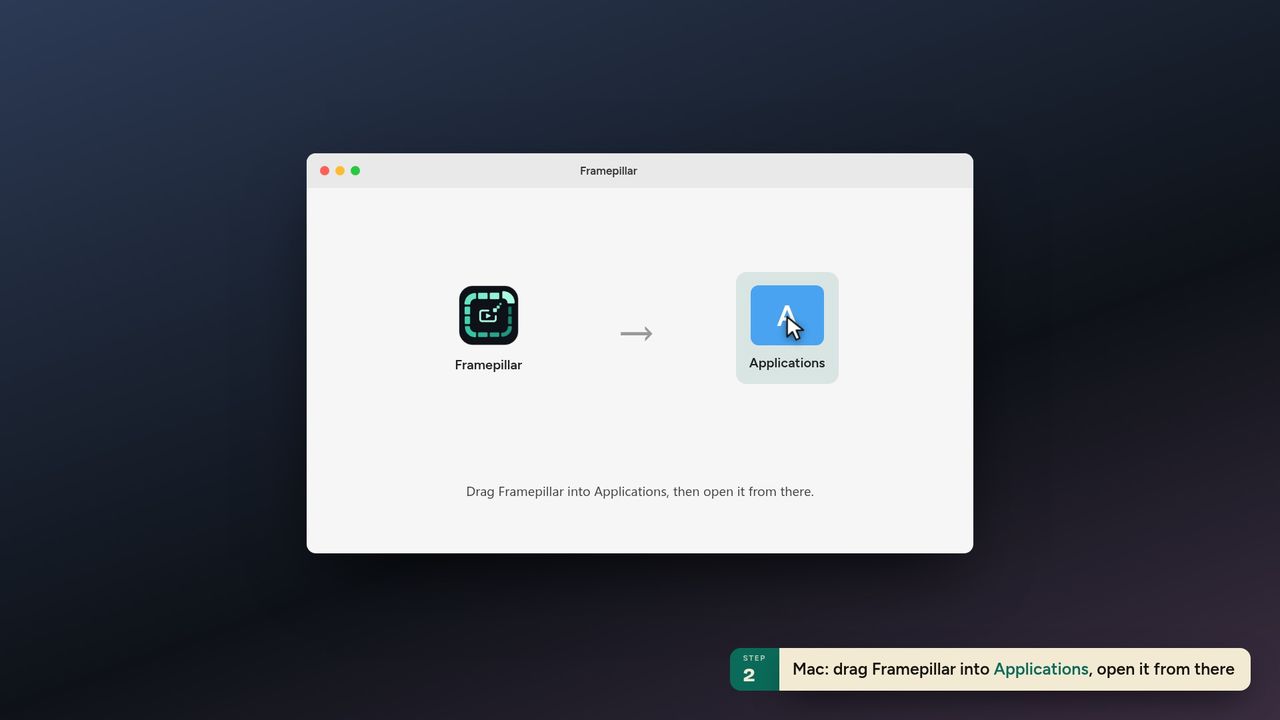
4Mac: drag Framepillar into Applications, open it from there -
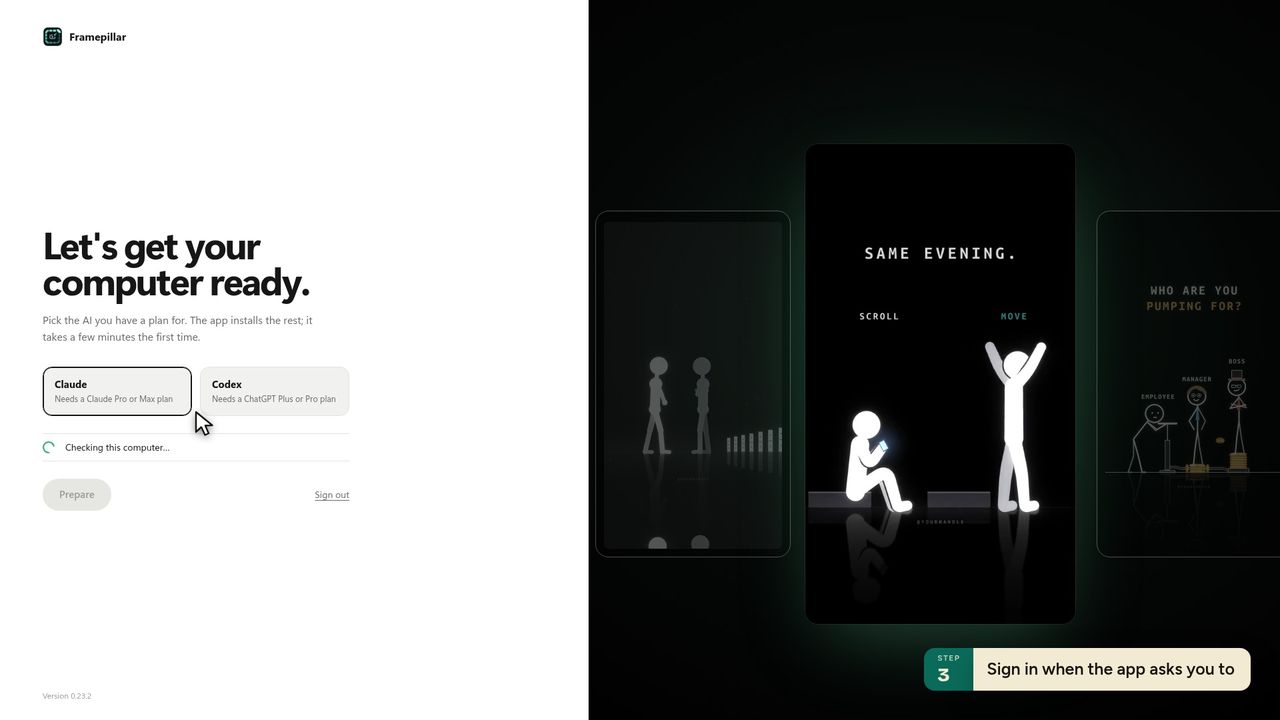
5Sign in when the app asks you to -
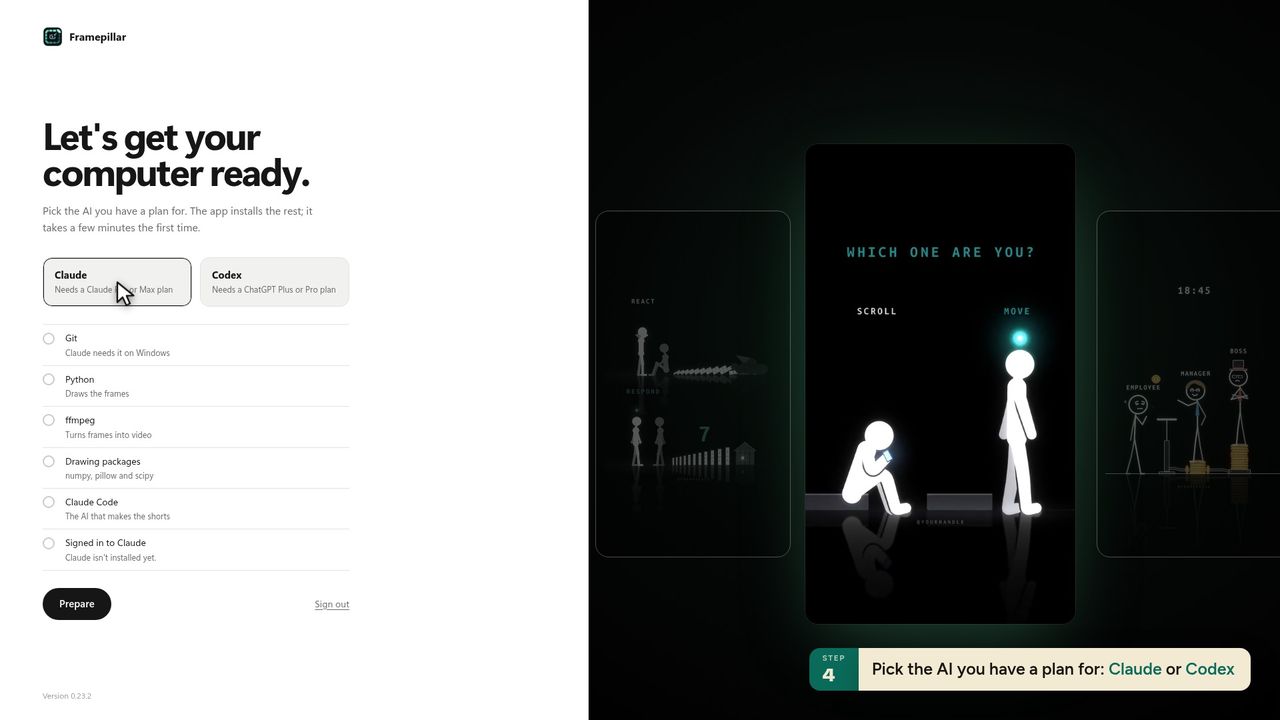
6Pick the AI you have a plan for: Claude or Codex -
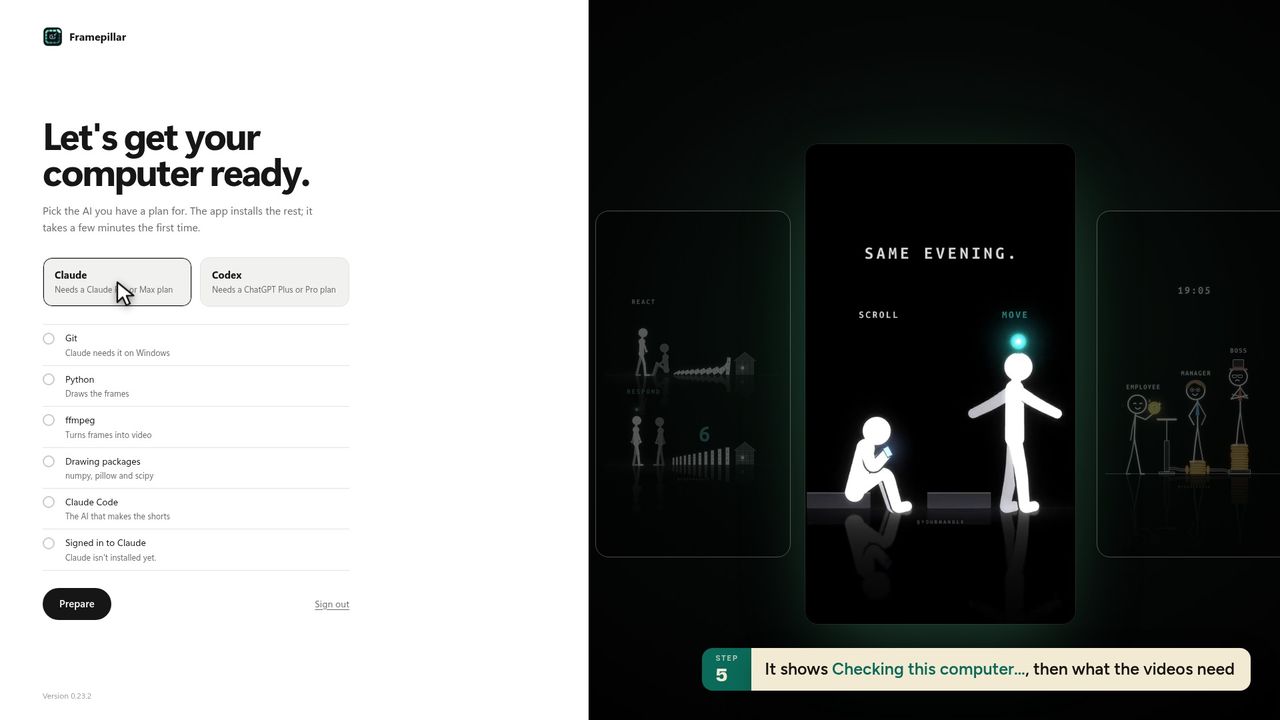
7It shows Checking this computer…, then what the videos need -
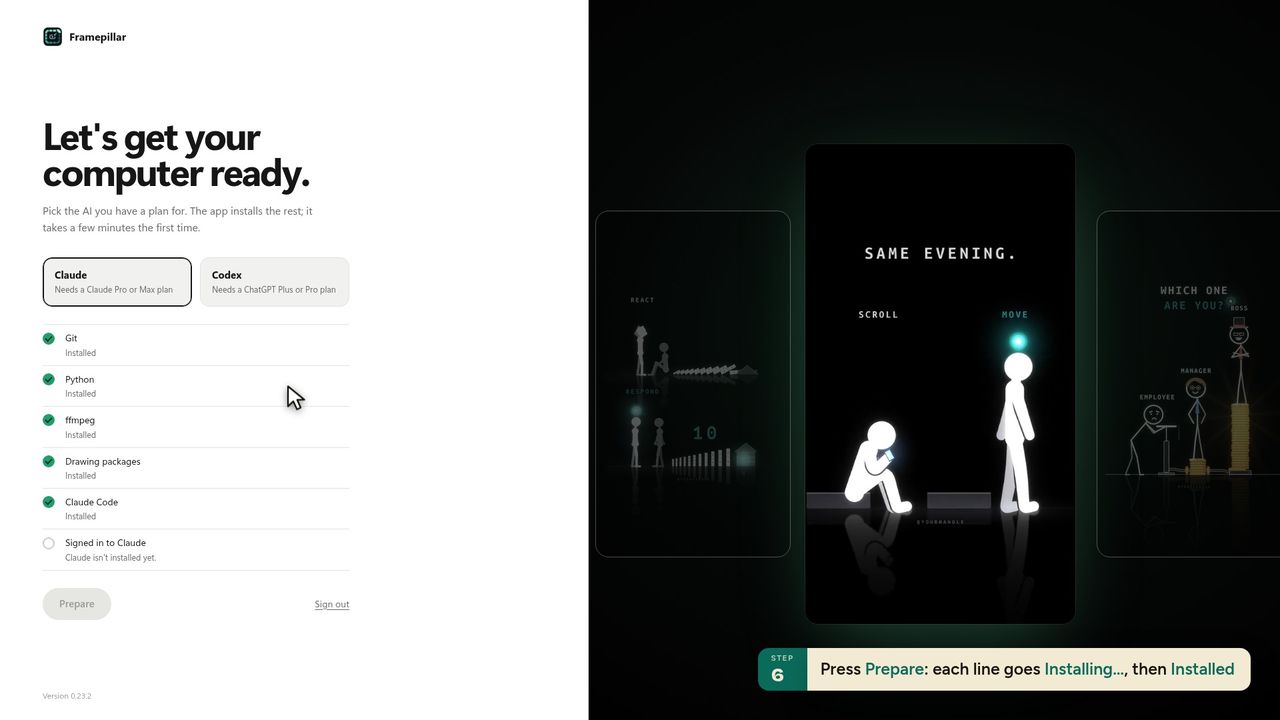
8Press Prepare: each line goes Installing…, then Installed -
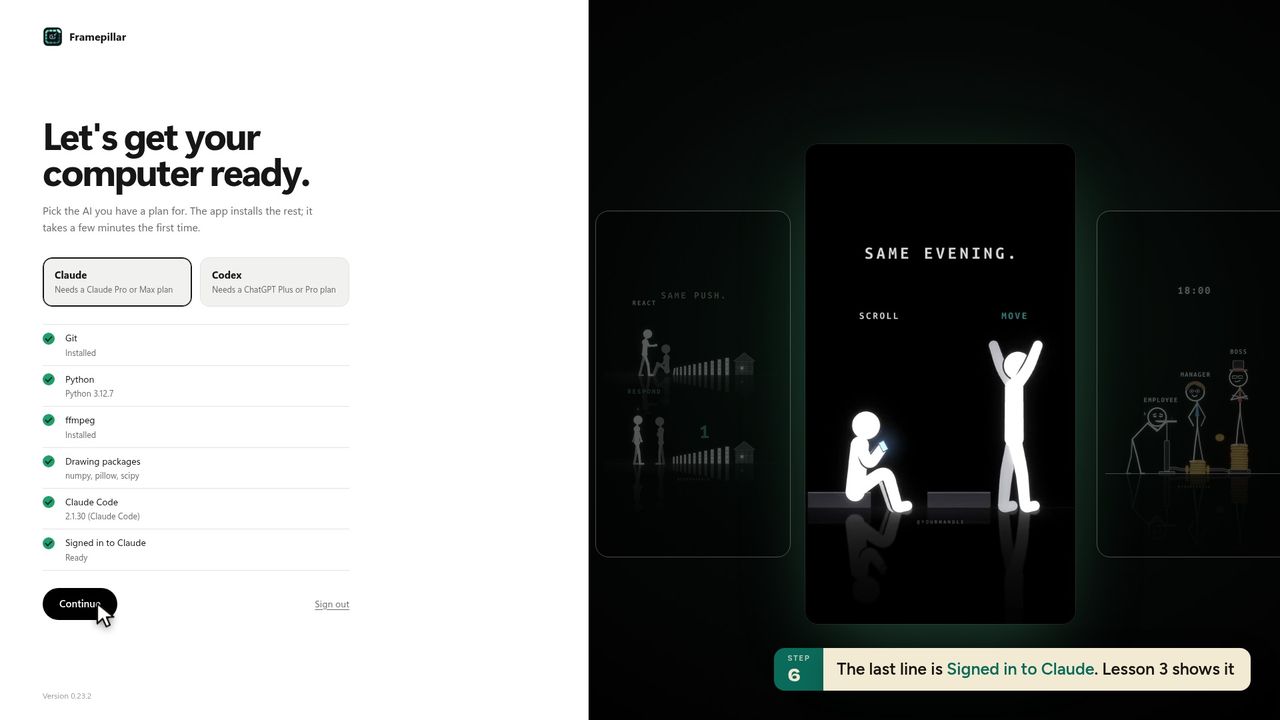
9The last line is Signed in to Claude. Lesson 3 shows it -
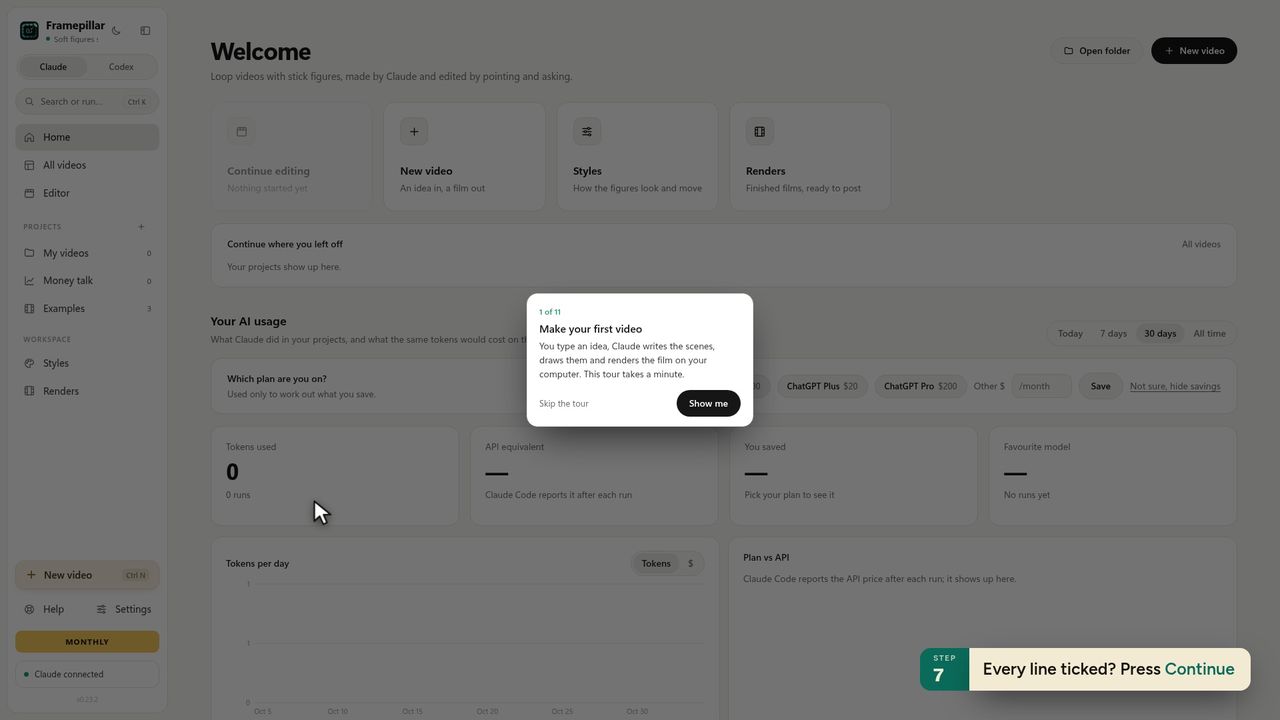
10Every line ticked? Press Continue -
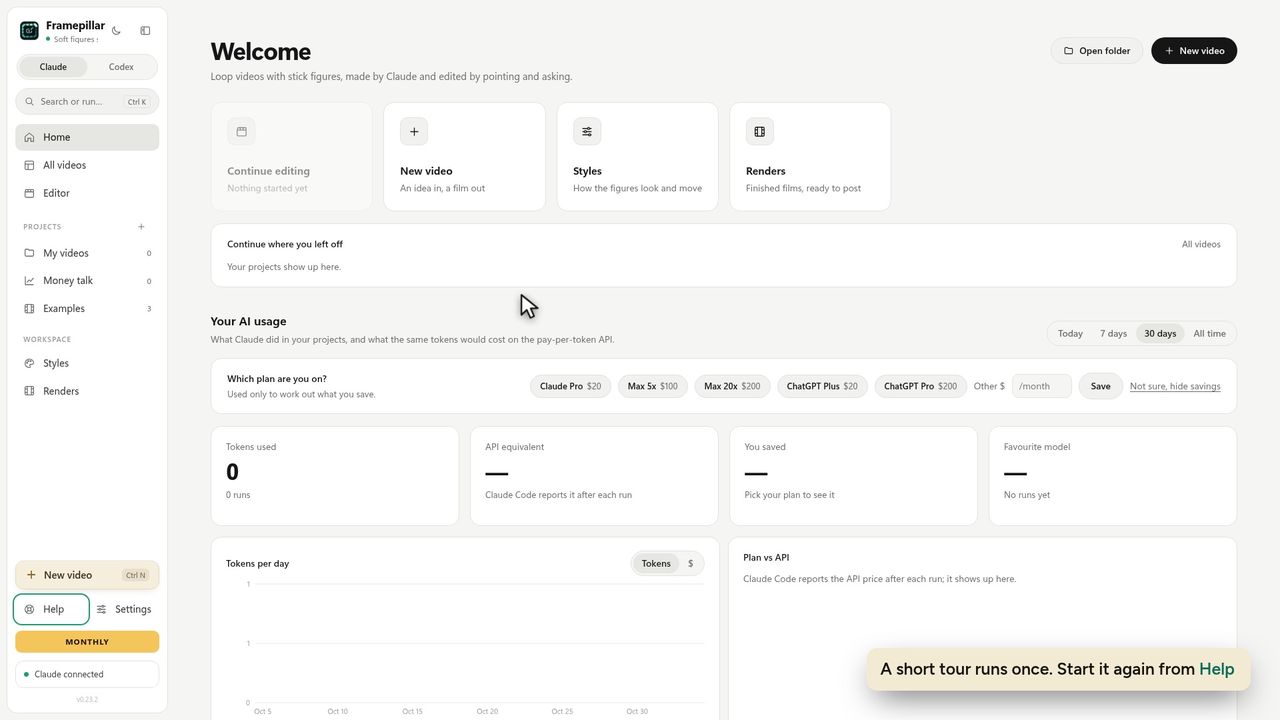
11A short tour runs once. Start it again from Help
Ready to make your own?
FramePillar turns one sentence into an animated short or a YouTube video, with your own Claude or ChatGPT plan. Your first 3 days are free.
No credits and no per-video charges. Cancel any time from your account.