
Guide · Your first video · Lesson 4
From one sentence to a short
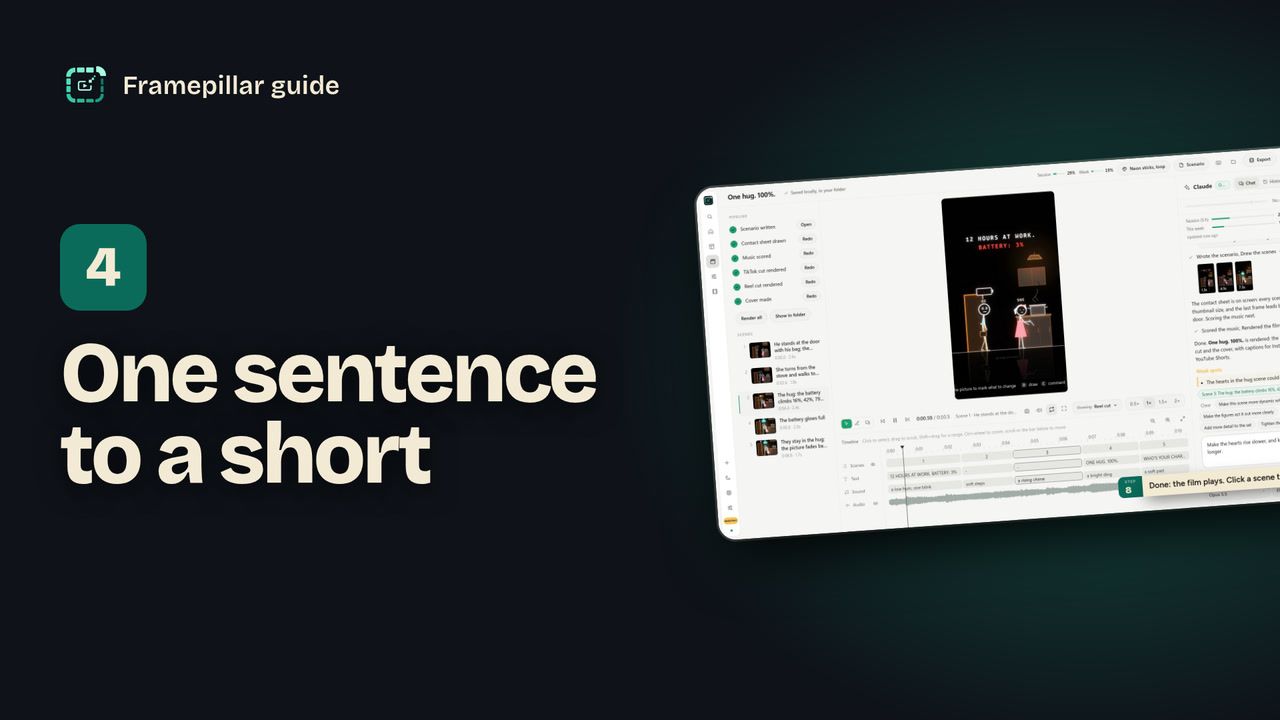
Write one or two sentences and turn them into an animated short, start to finish.
Step by step
- Click New video in the sidebar, or press Ctrl N. Choose Start from scratch.
- The idea: pick the project it goes in, then write what happens in one or two sentences, or click one of the ideas. A title is optional.
- Look: pick a style, choose Vertical 9:16 for TikTok, Reels and Shorts, and pick a length. The default is 0:12.
- Words and finish: let Claude write the words on screen, or choose I have the words and type them, one line per line. Show my handle adds your @name. It's already ticked when the project has a handle.
- Pick the Quality. Quick is fastest. Checked (the default) fixes the key moments before the film renders. Polished critiques and fixes every scene, and is slowest.
- Click Create video or press Ctrl Enter. The editor opens and Claude starts at once.
- Watch the PIPELINE tick off: scenario, contact sheet, music, the TikTok and Reel cuts, the cover. A first video takes about 10 to 20 minutes.
- When it's done the film plays on screen. To change something, click a scene, type what should change and press Apply.
Every step, in pictures
Screens from the video, in order. Click one to see it full size.
-
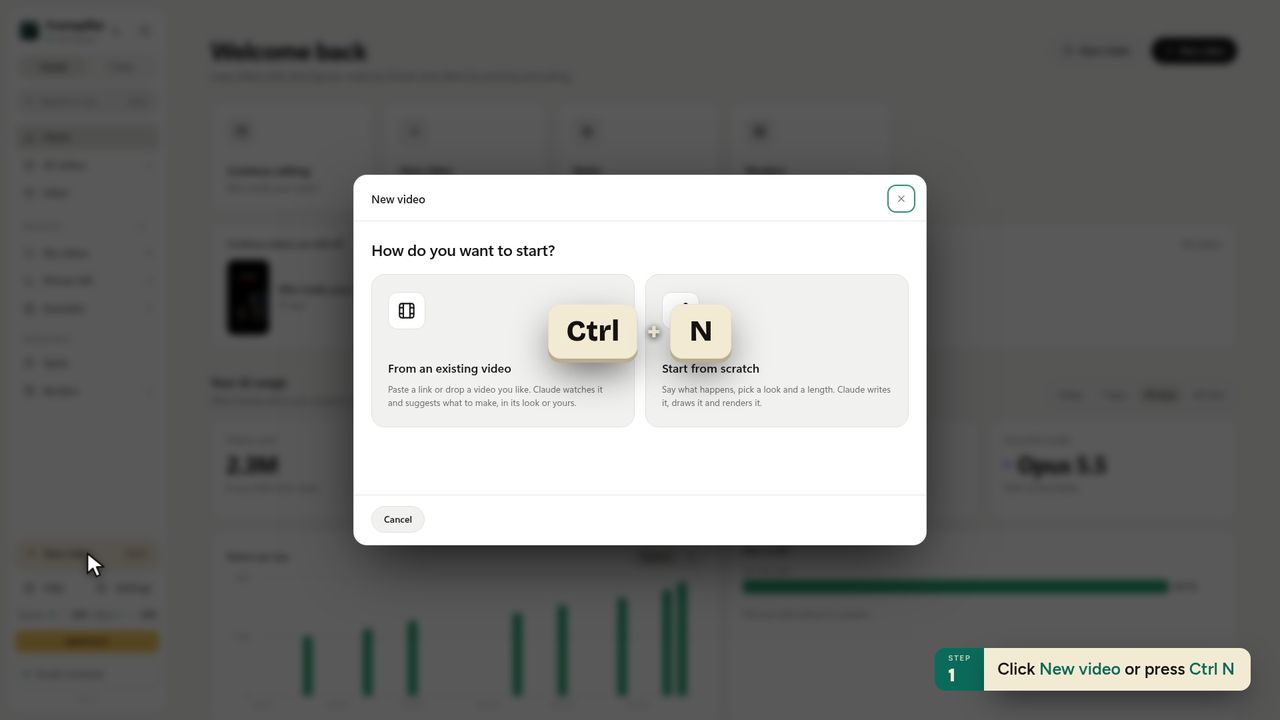
1Click New video or press Ctrl N -
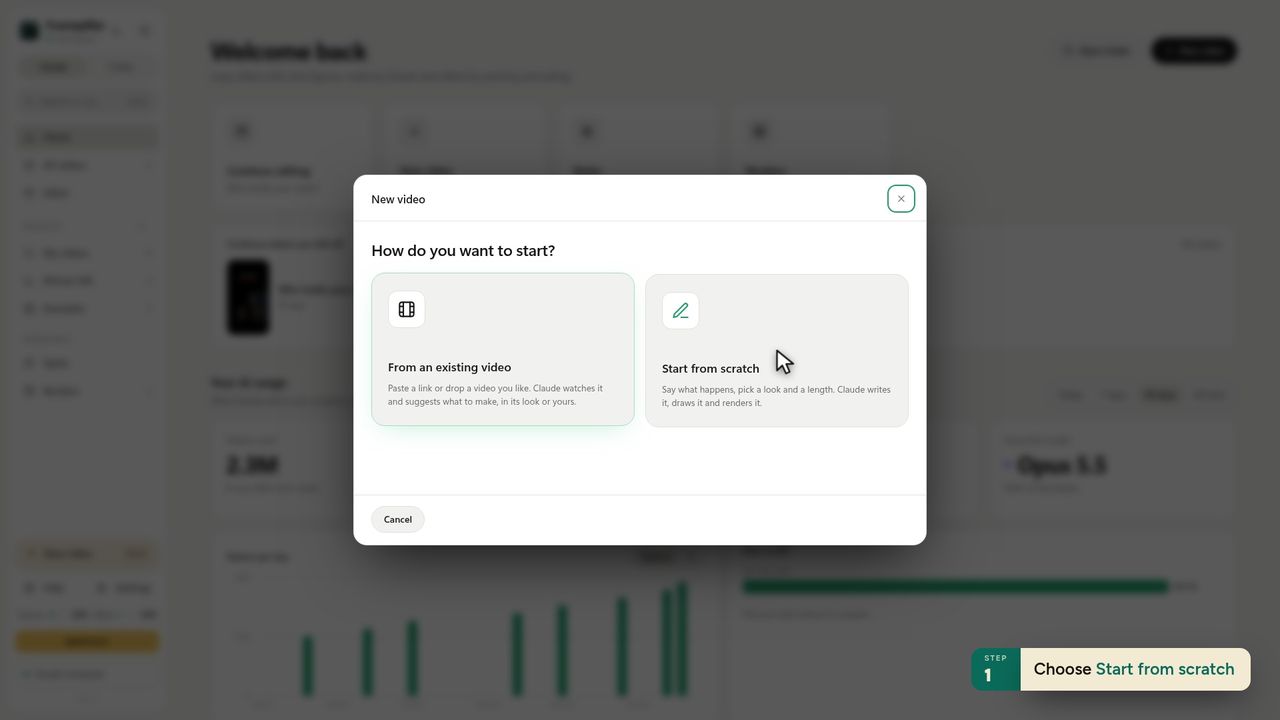
2Choose Start from scratch -
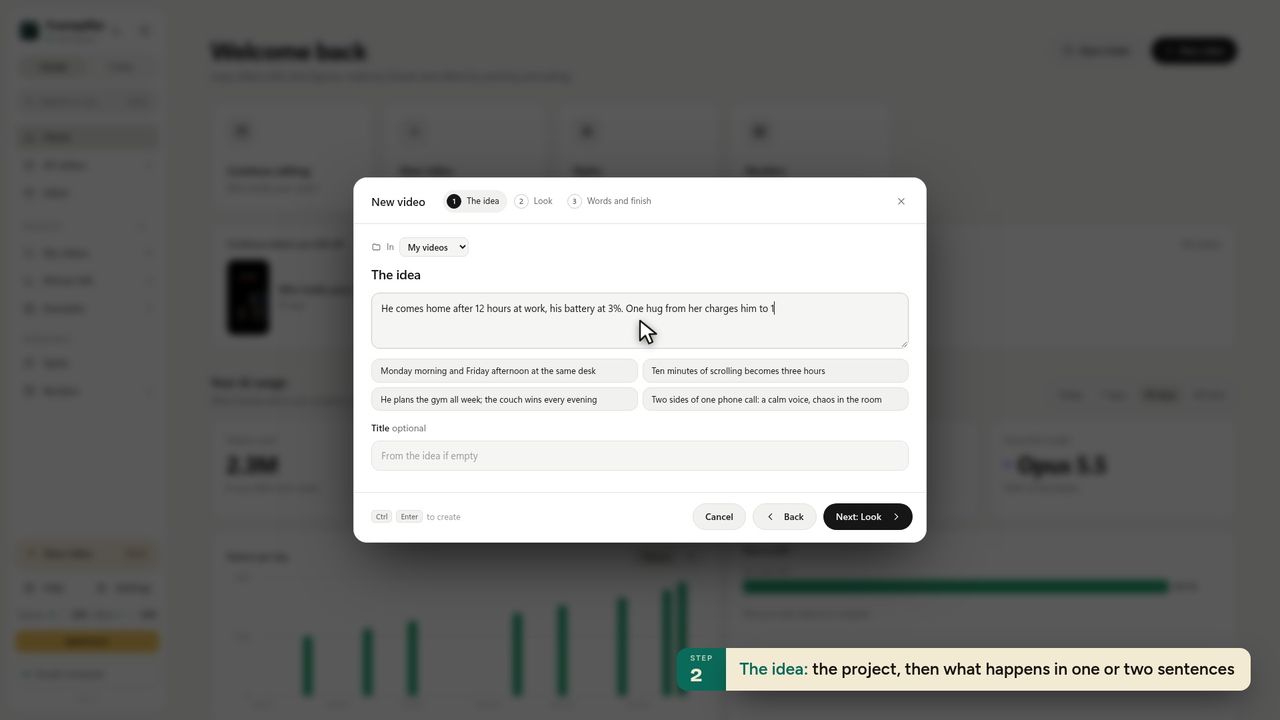
3The idea: the project, then what happens in one or two sentences -
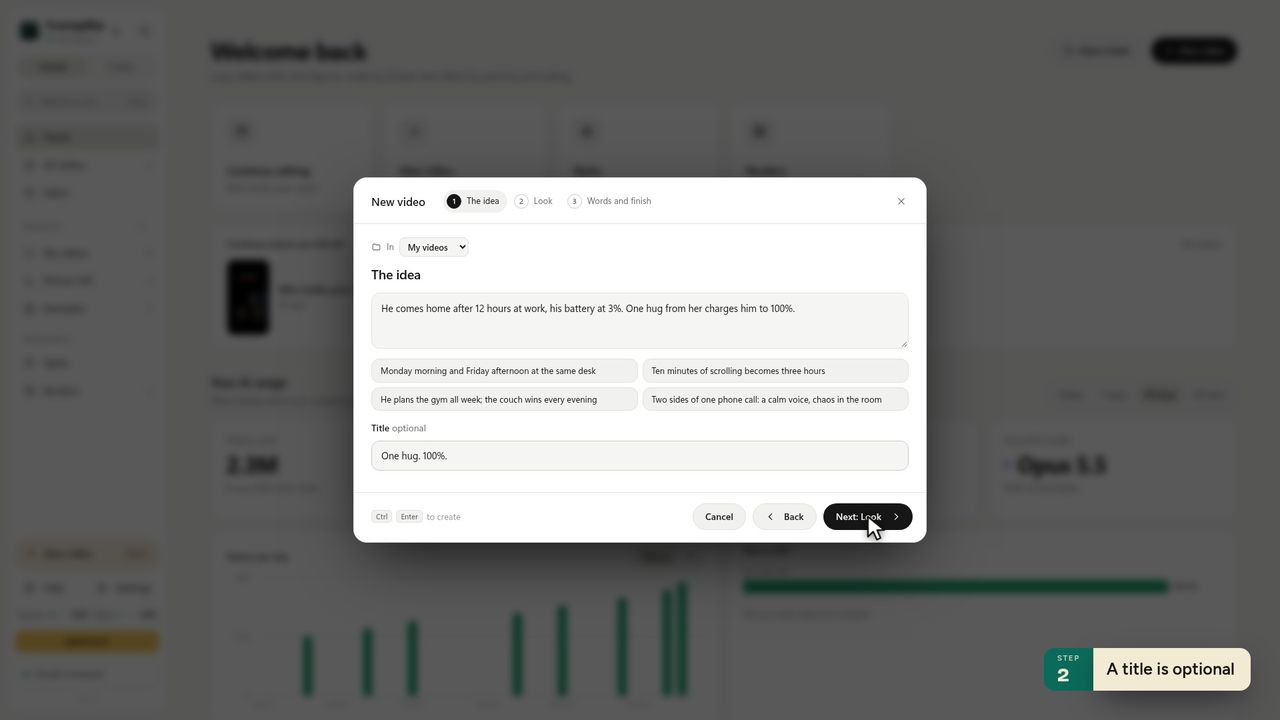
4A title is optional -
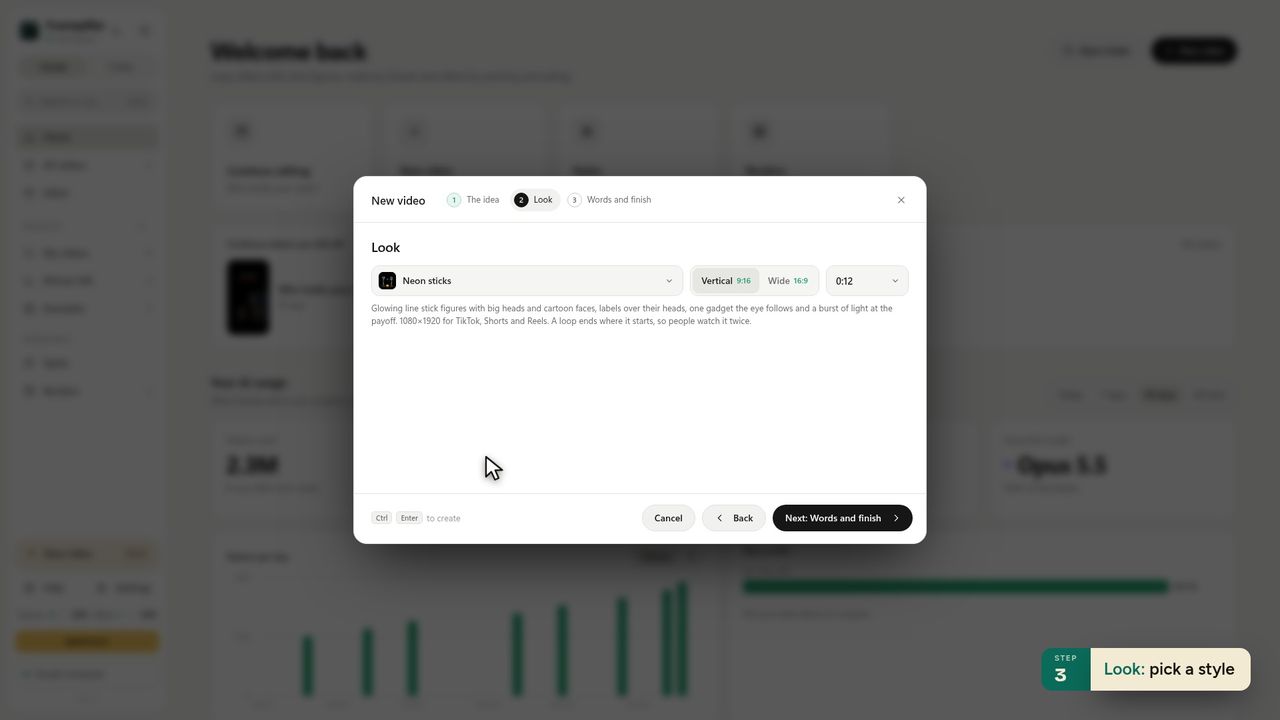
5Look: pick a style -
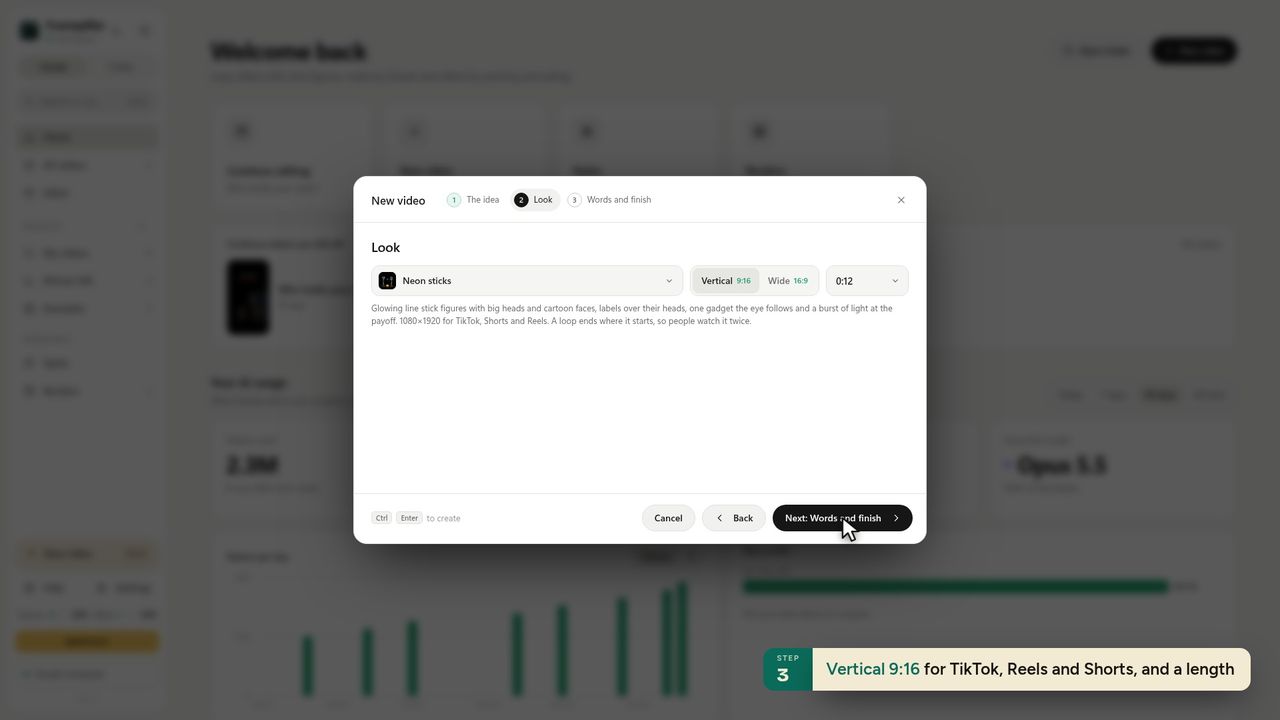
6Vertical 9:16 for TikTok, Reels and Shorts, and a length -
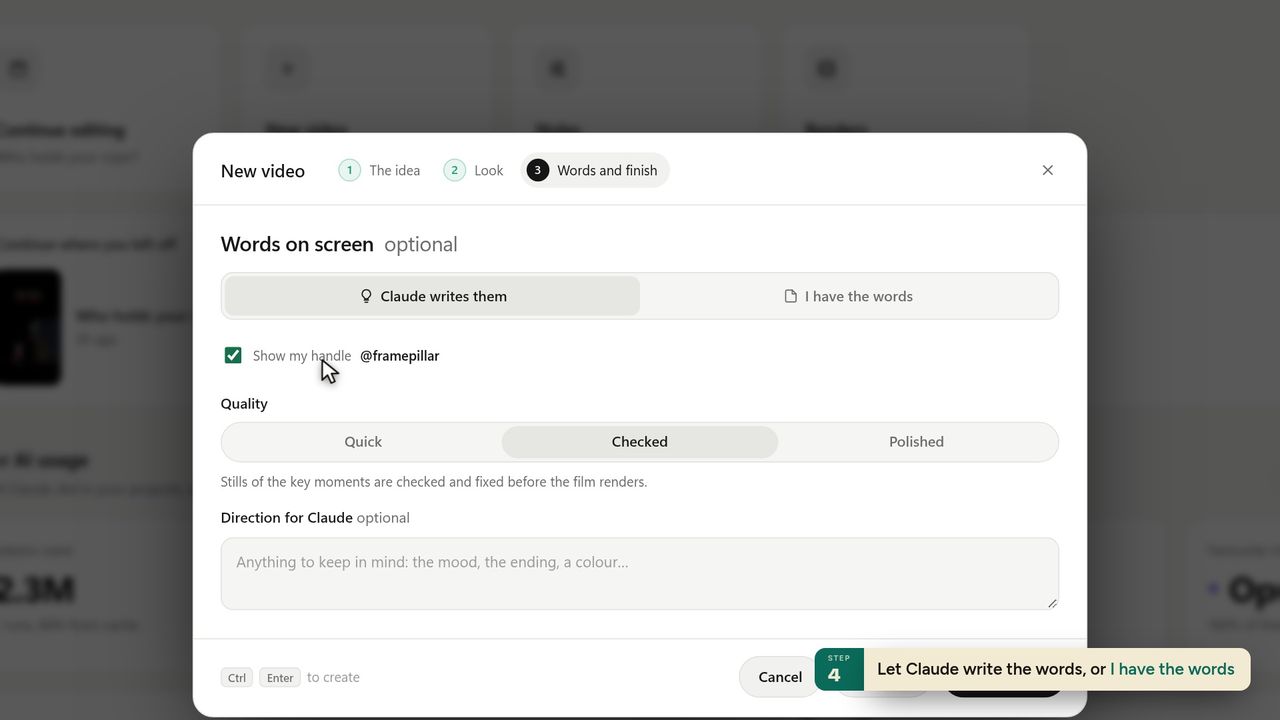
7Let Claude write the words, or I have the words -
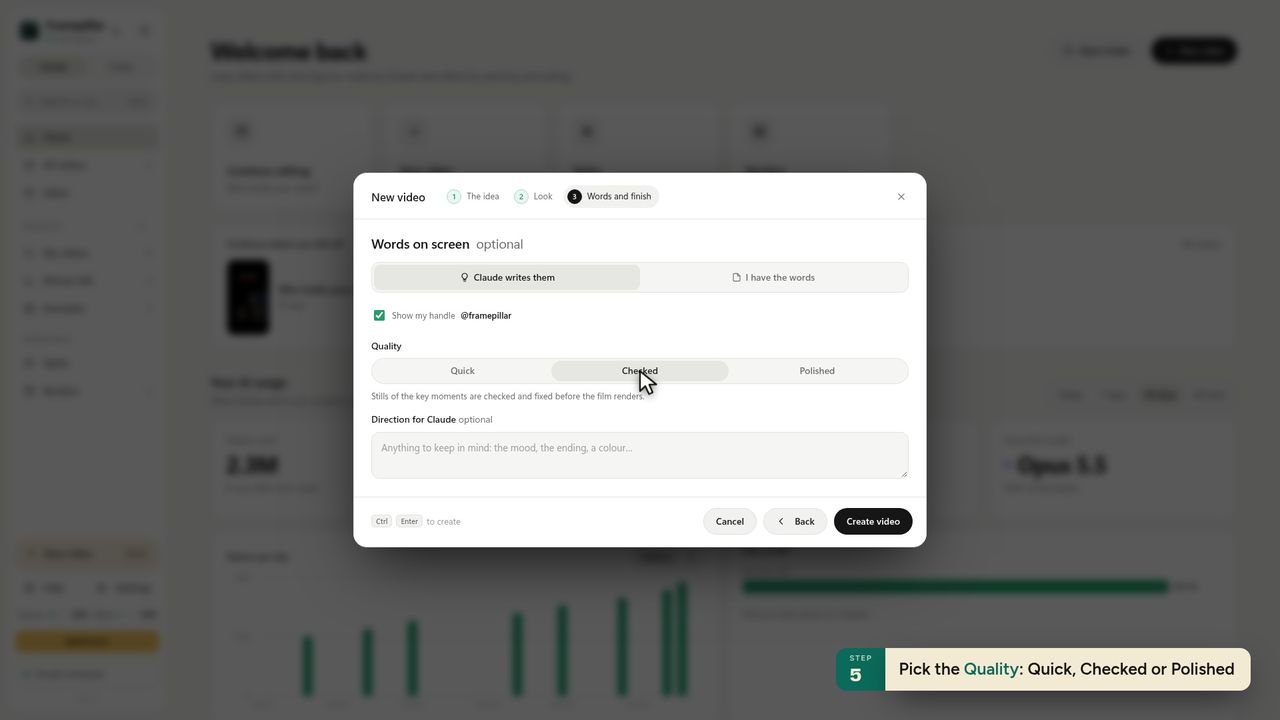
8Pick the Quality: Quick, Checked or Polished -
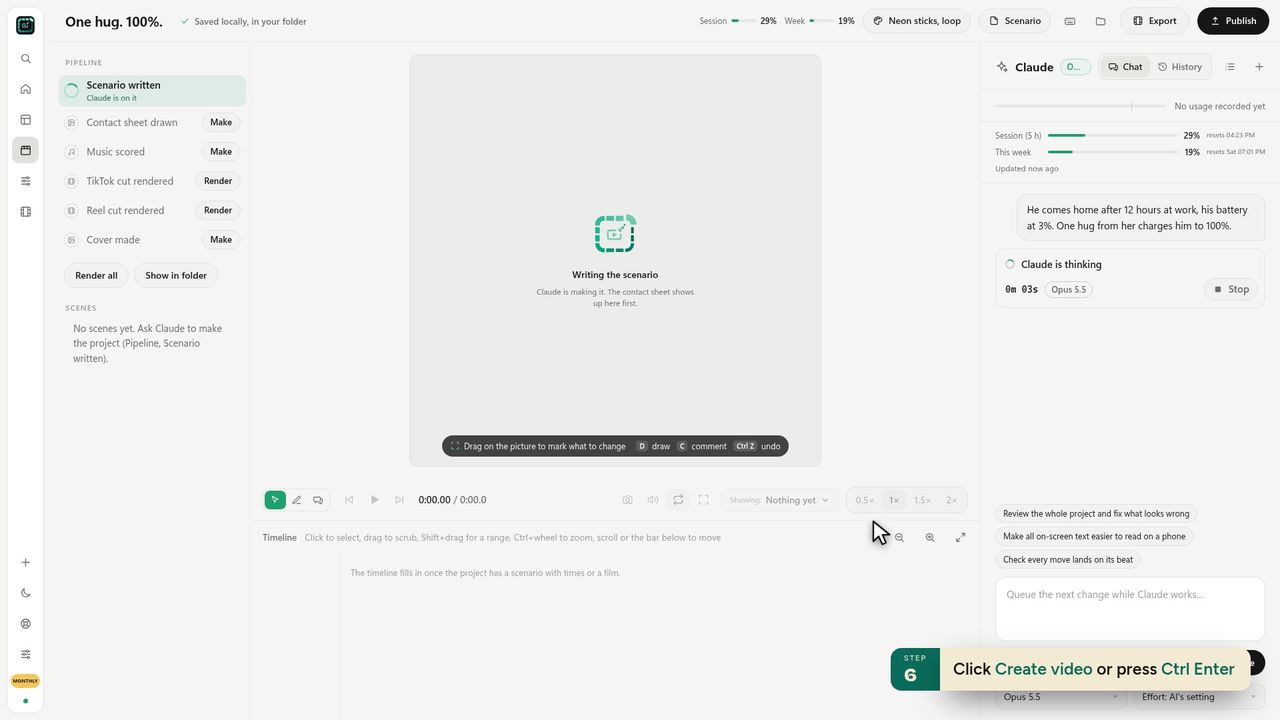
9Click Create video or press Ctrl Enter -
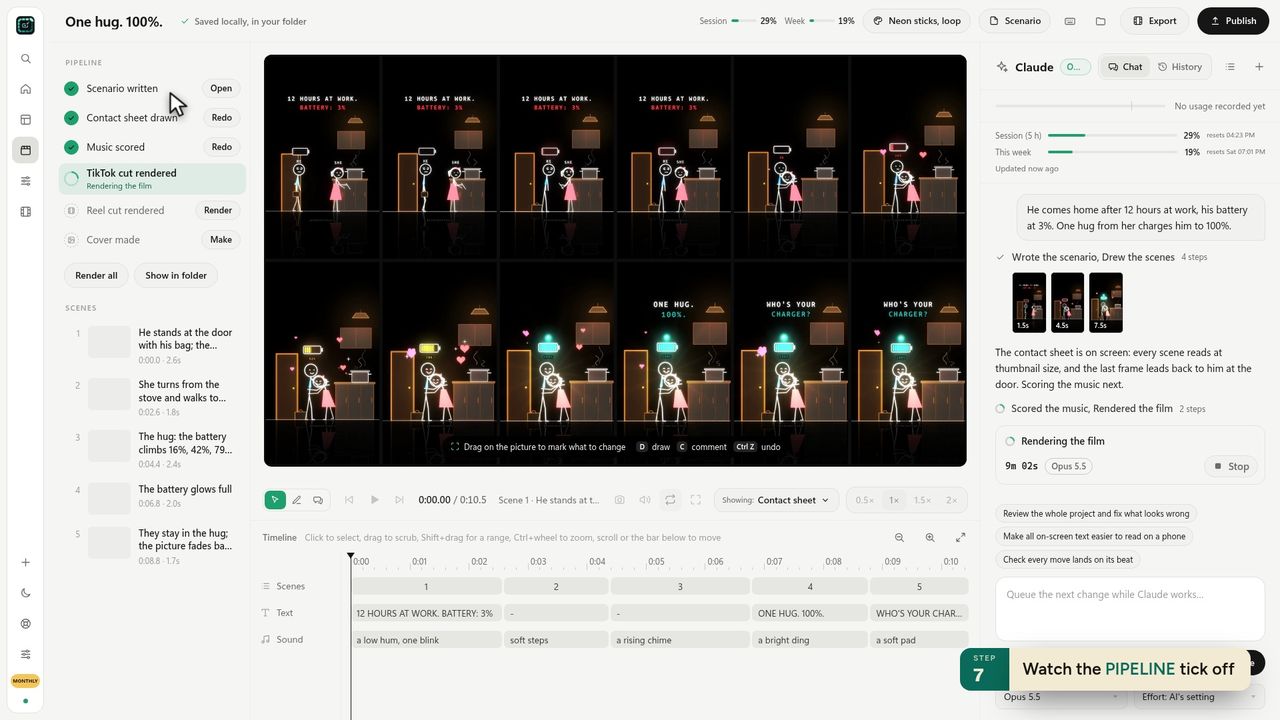
10Watch the PIPELINE tick off -
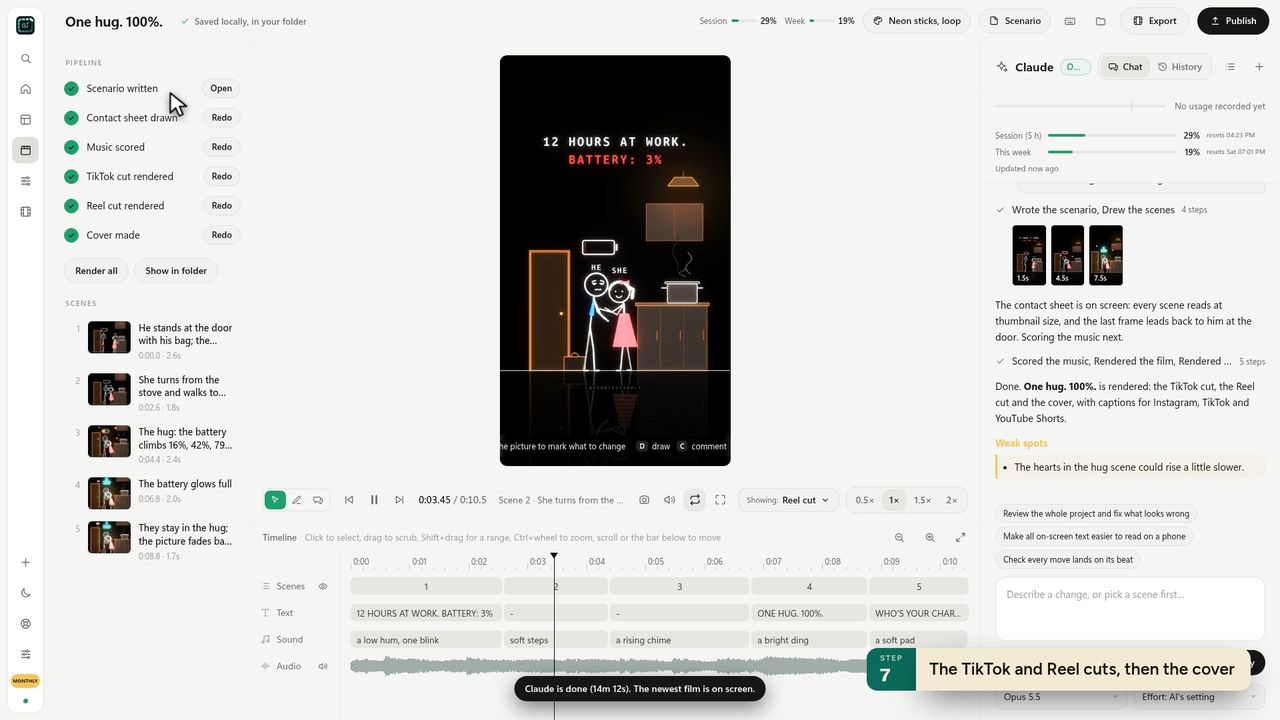
11The TikTok and Reel cuts, then the cover -
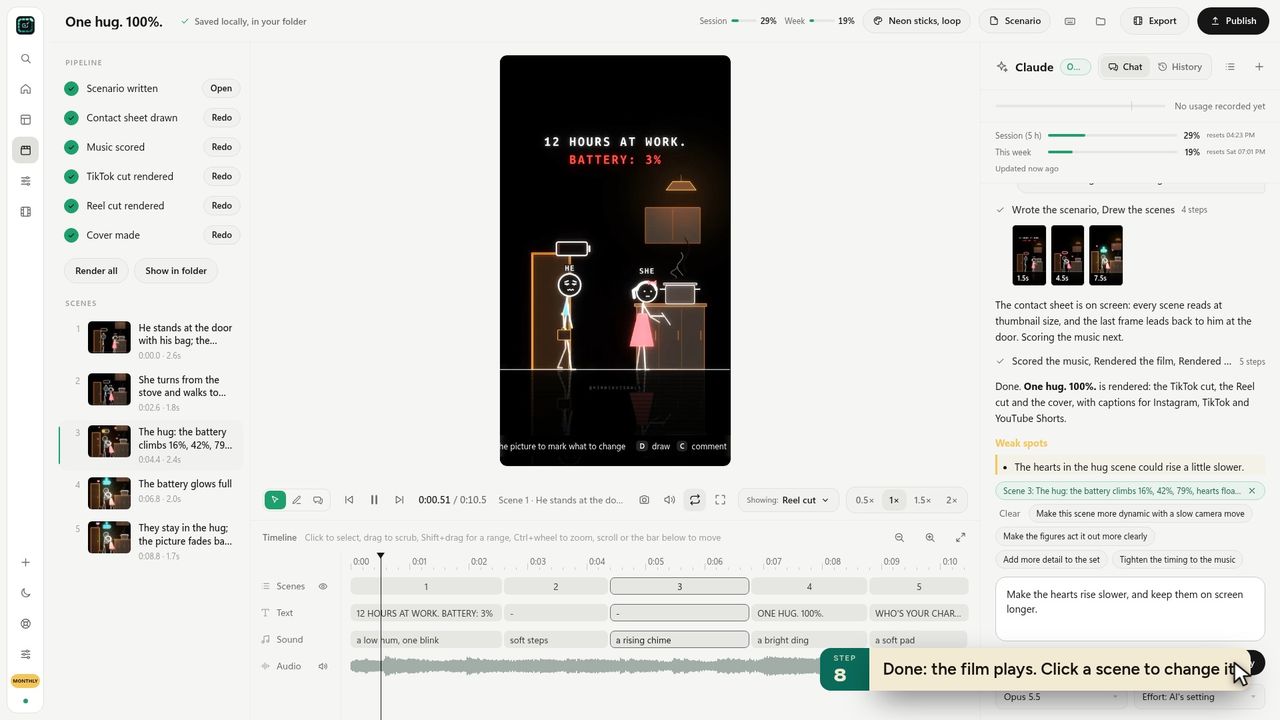
12Done: the film plays. Click a scene to change it -
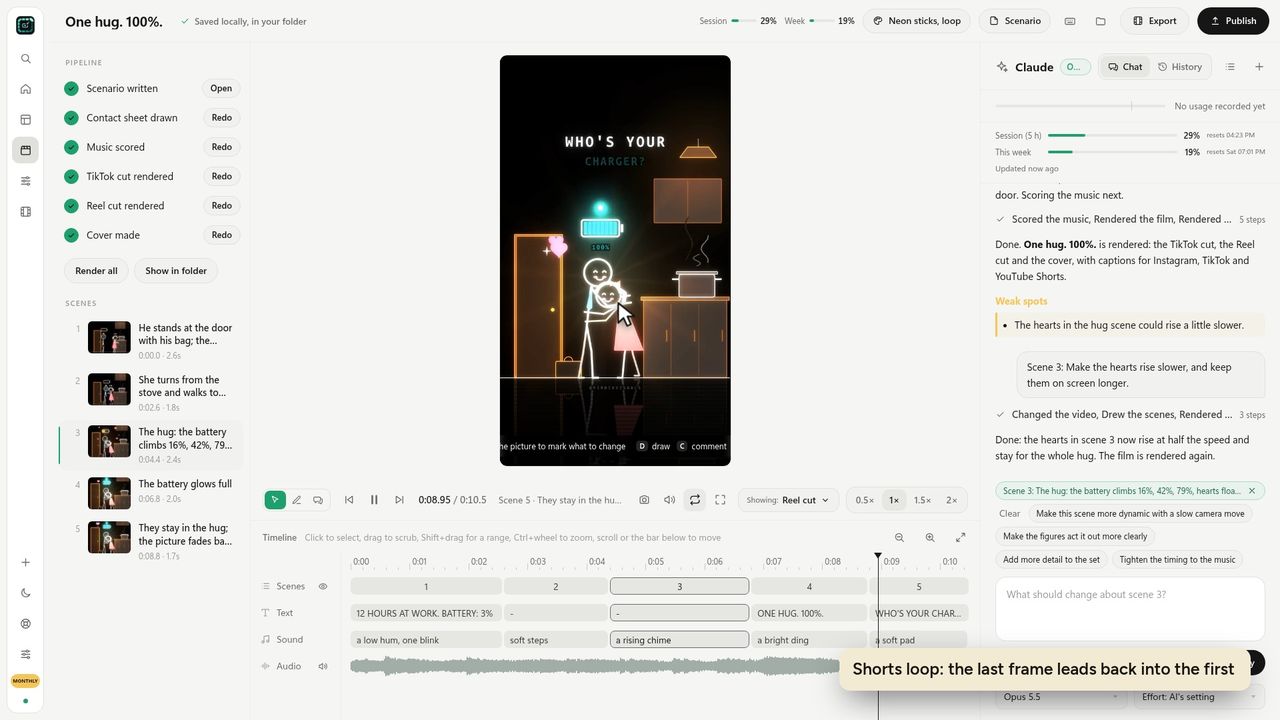
13Shorts loop: the last frame leads back into the first
Ready to make your own?
FramePillar turns one sentence into an animated short or a YouTube video, with your own Claude or ChatGPT plan. Your first 3 days are free.
No credits and no per-video charges. Cancel any time from your account.