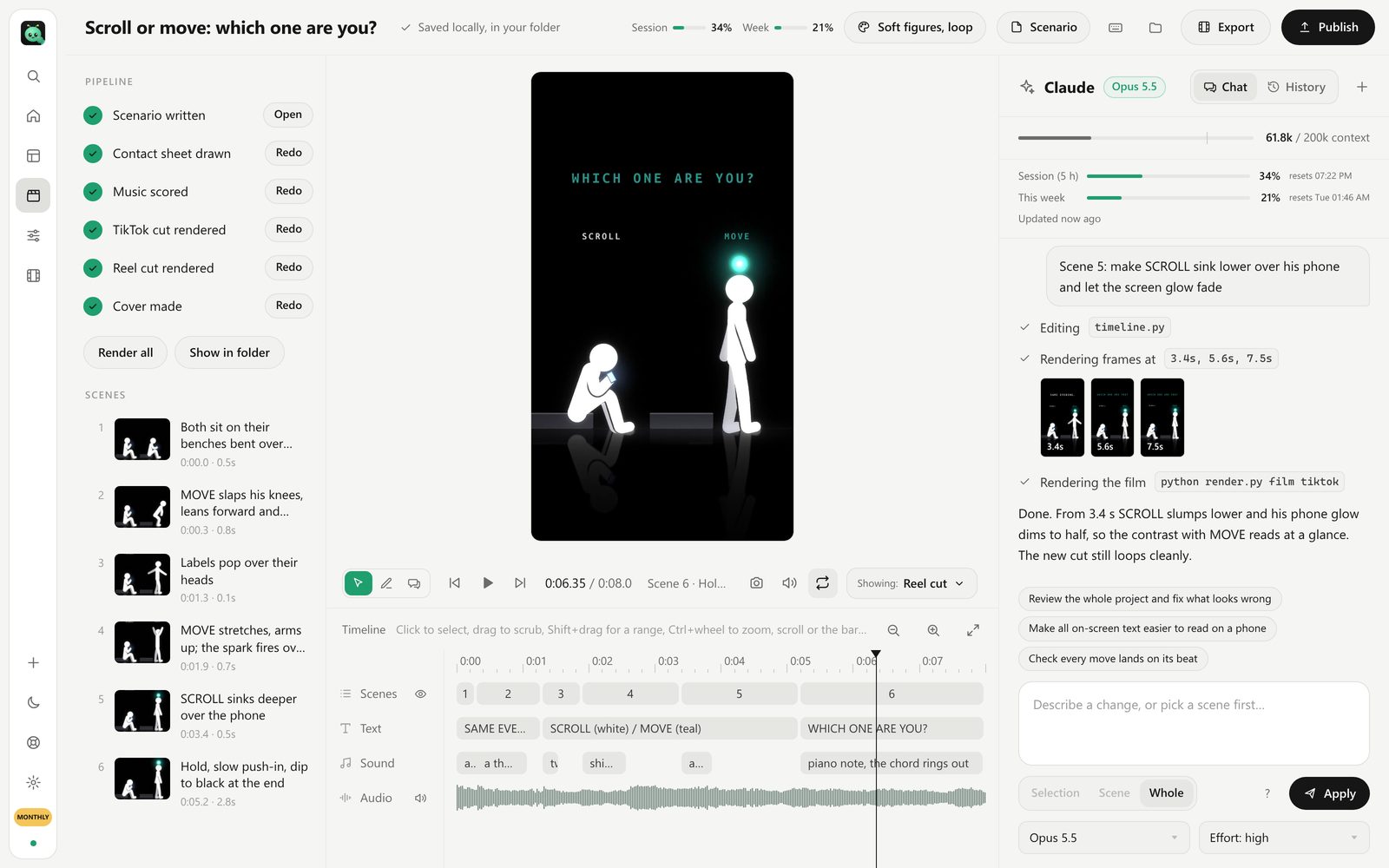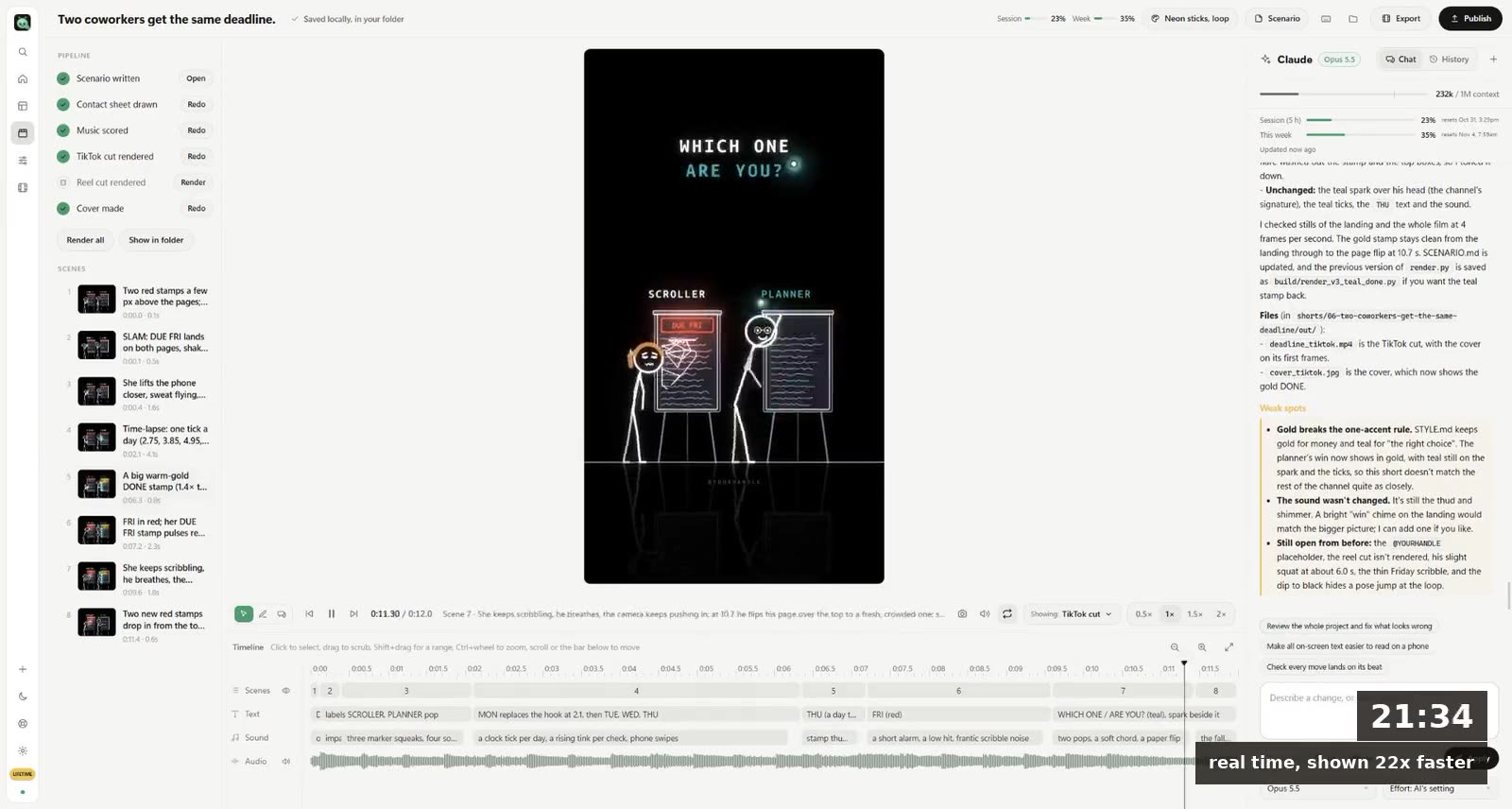
To make stickman animation with AI, write one small story in a sentence, pick a stick-figure style, have the AI draw and animate each scene, and end on a frame that loops back to the start. The figures are the easy part. The story, the one object the eye follows, and the loop are what make a stick figure short go viral.
Our most viewed short, "Who holds your rope?", is two glowing stick figures and a rope. It reached 9.3 million views on Instagram in five days. Nothing in it is hard to draw. Everything in it is planned.
Why stick figures work so well on TikTok and Reels
- They read at phone size. A thin bright line on black is clear on the smallest screen, in a feed, at a glance.
- Anyone can be them. A stick figure has no age, job or face you can't project yourself onto. That's why viewers send them to someone: "this is us".
- They're fast to make. Simple shapes mean the AI spends its effort on timing and story, not texture.
- They become your brand. Once people know your figures, they recognise your next short before reading the caption.
The style that's been going viral
The look you've probably seen: glowing neon lines on a black background, big round heads with simple cartoon faces, a small label over each head ("HE", "SHE", "YOU"), and one bright object that carries the story: a battery, a rope, a phone, a heart.
In FramePillar that style is called Neon sticks. Its description in the app says it well: glowing line stick figures with big heads and cartoon faces, labels over their heads, one gadget the eye follows and a burst of light at the payoff. A loop ends where it starts, so people watch it twice.
How to make a stickman short with AI, step by step
1 Write the story in one sentence, with a turn
"He comes home after 12 hours at work, his battery at 3%. One hug from her charges him to 100%." A situation, a turn, a feeling. If you can't say it in one breath, it's two shorts.
What goes wrong: a mood with no turn. "A sad man walks in the rain" gives the AI nothing to build to.
2 Give the story one object to follow
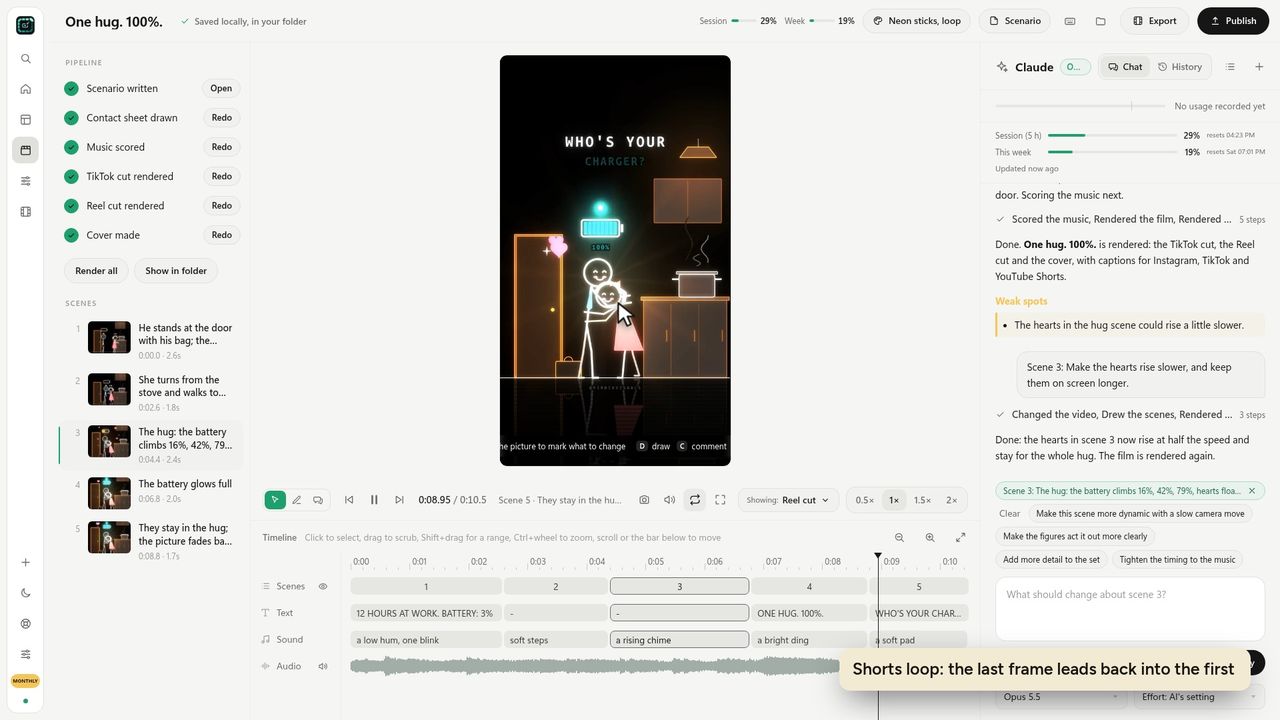
The battery in "One hug. 100%." The rope in "Who holds your rope?" The eye needs one thing that changes. Put it in the sentence; the AI will build the scenes around it.
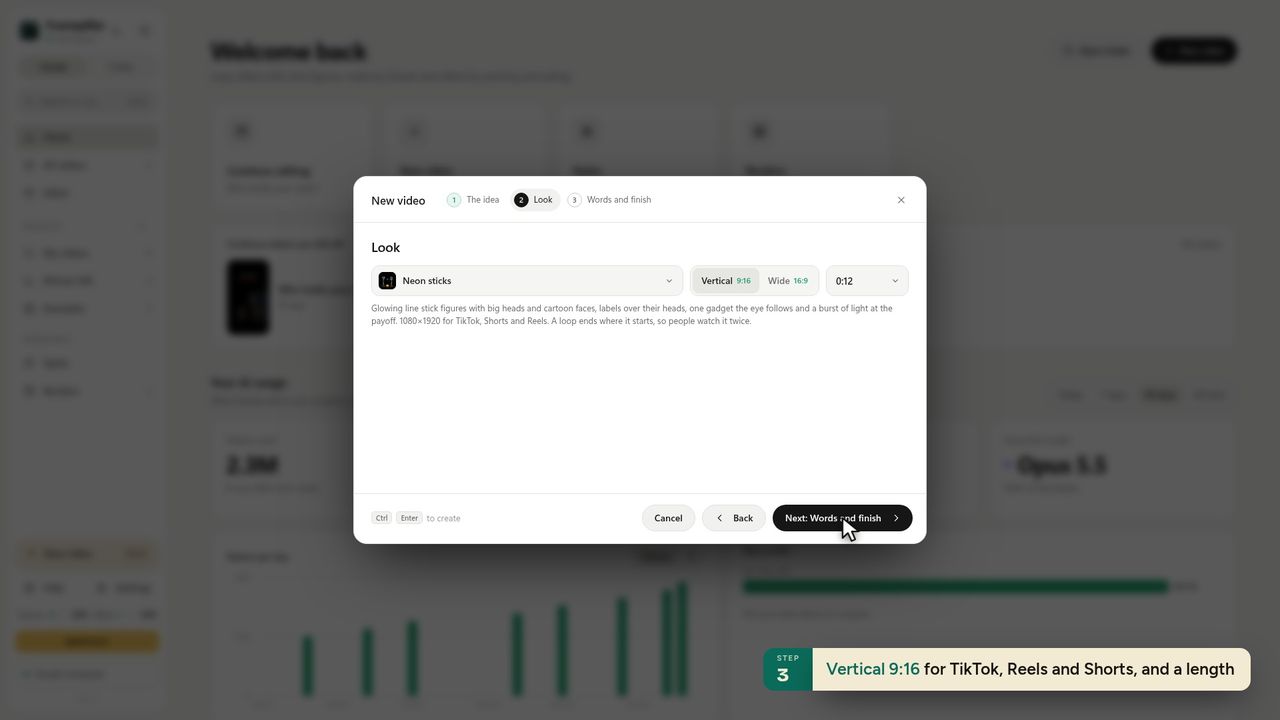
3 Pick vertical and keep it short
9:16, 10 to 20 seconds. Our three biggest shorts are each one small story that ends. (For TikTok's Creator Rewards you need a minute or more; make a slower second cut for that.)
4 Let the AI write the scenes, then check the contact sheet
In FramePillar: New video → Start from scratch, type the sentence, pick Neon sticks, Vertical 9:16, and Create video. Claude writes a scenario with five or so scenes and draws a contact sheet first, one still per scene, so you can see the whole story at a glance before the film renders.
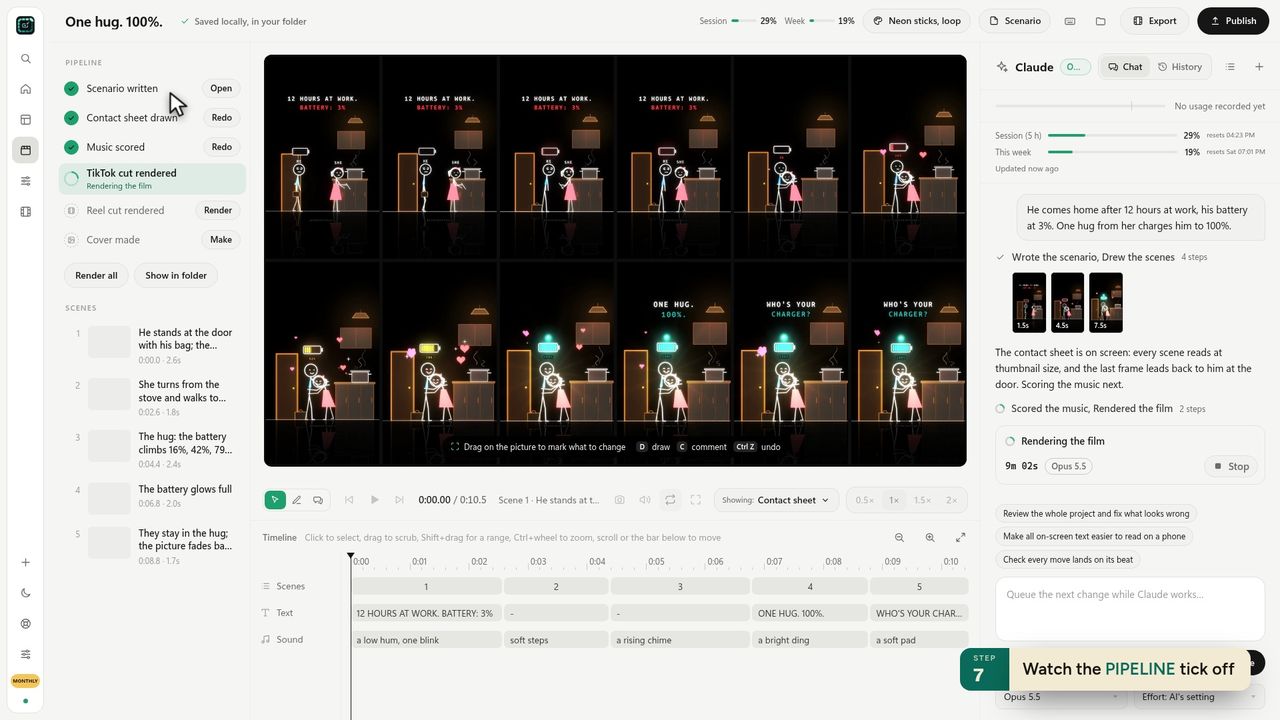
5 Fix the timing, not the drawing
Most first drafts need one change: something happens too fast. Click the scene on the timeline and type what should change: "the battery should climb slower, 16%, 42%, 79%, then 100%". Claude redraws that scene.
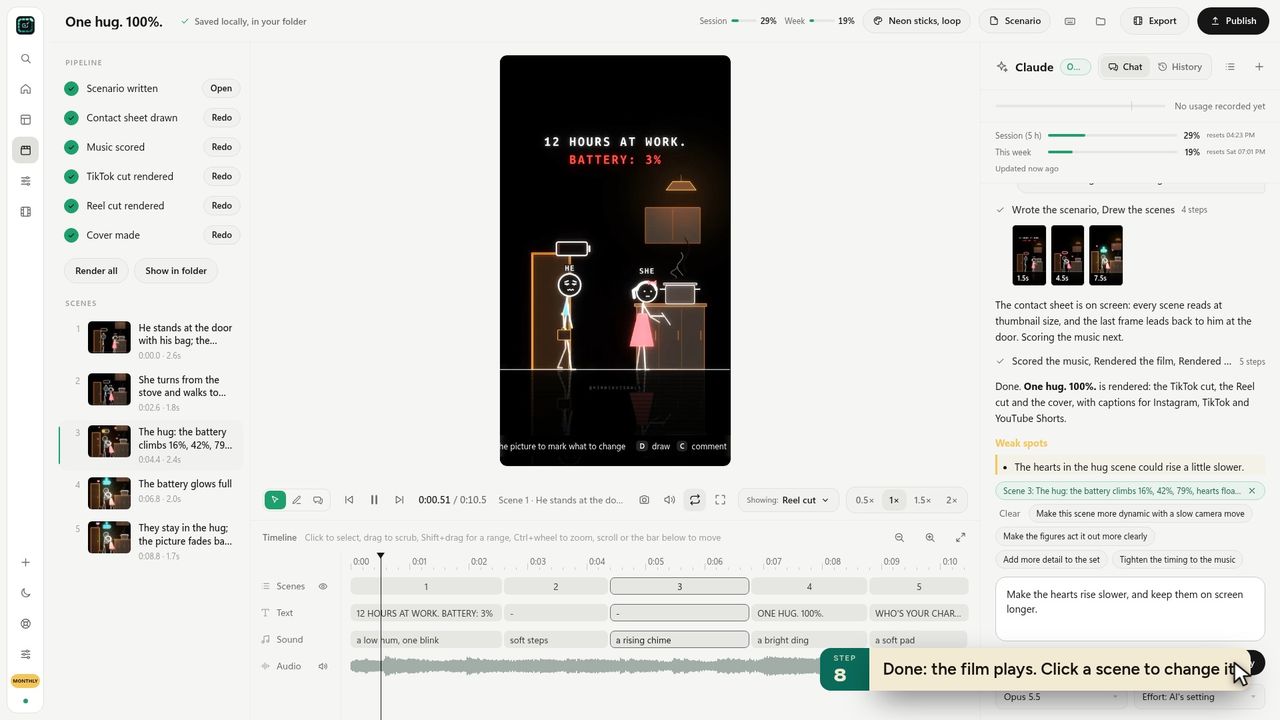
6 End where it started
The last frame should lead straight back into the first. A viewer who reaches the end sees the start again without a jump, and often watches a second time before noticing. That second watch is a strong signal to the algorithm.
7 Add the hook in words
Put the hook on screen in the first second ("12 HOURS AT WORK. BATTERY: 3%"). Many people watch muted. Here are 40 hooks by type.
Free stickman tools vs making it properly
Free stick-figure generators make a figure move. They're fine for a joke. What they don't do is the story beats, the one object, the loop, captions per platform and a recognisable style across 30 videos, and those are the things that decide whether a short gets past a few hundred views.
FramePillar costs $19.90 a month, with 3 days free, and runs on your own Claude or ChatGPT plan. Neon sticks is one of the three free styles in the app, along with Soft figures and Minimal.
Ideas for stickman shorts
- "Who would you call at 3am?" — one figure, a phone, a list of names that shrinks to one.
- "The friend who carries your bags on the worst day."
- "Mum's 'I'm fine' vs what she's carrying."
- "Day 1 at the gym vs day 100" — the same figure, one weight, the light growing.
More in 20 faceless channel ideas.
Questions
Is there an AI stickman animation generator?
Yes. Free stickman AI generators turn a prompt into a few seconds of stick figures, usually without a story or sound. FramePillar works as a stickman animation generator for finished shorts: type one sentence, pick Neon sticks, and you get the scenes, the animation, music, the TikTok and Reel cuts and a cover.
What app makes stick figure animation with AI?
Several do. For finished vertical shorts with a story, music and captions, FramePillar with the Neon sticks style is built for exactly this. Free generators are fine for quick jokes.
How long should a stickman short be?
10 to 20 seconds for Reels and Shorts. Over a minute if you want TikTok's Creator Rewards to pay for it.
Can stickman videos make money?
Yes, like any original short: platform payouts, brand deals, products. See how AI animated shorts make money.