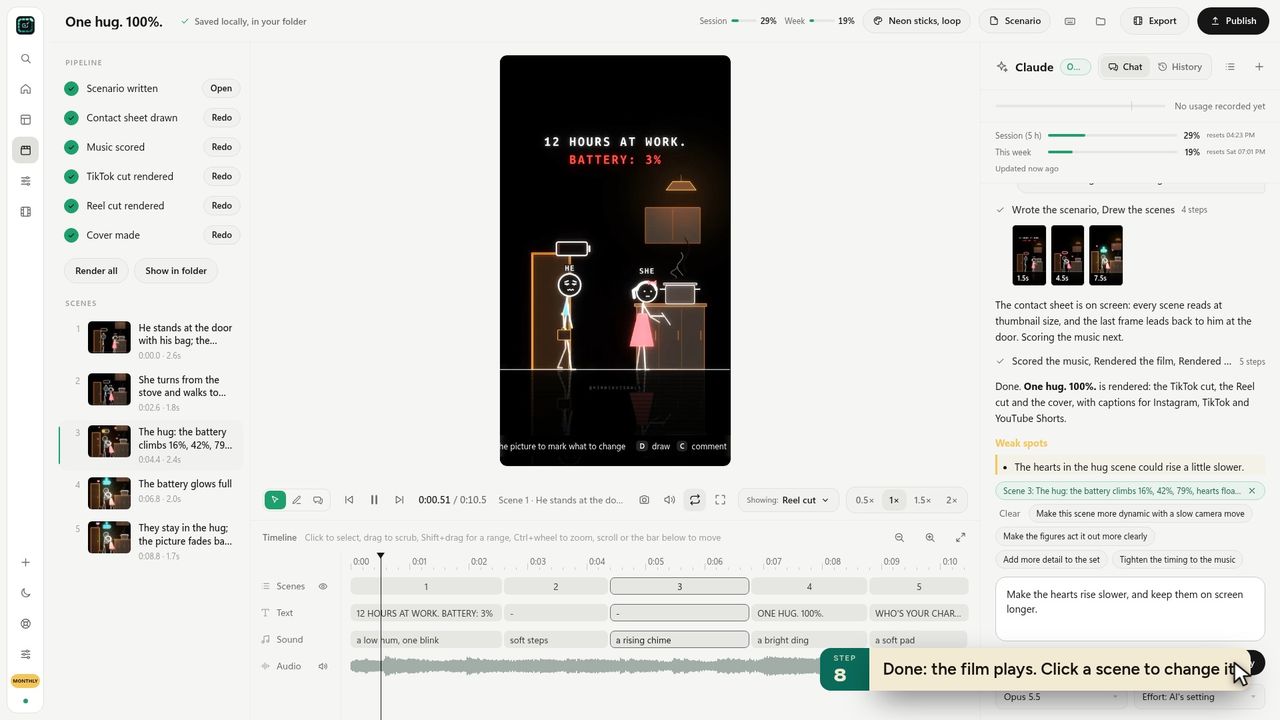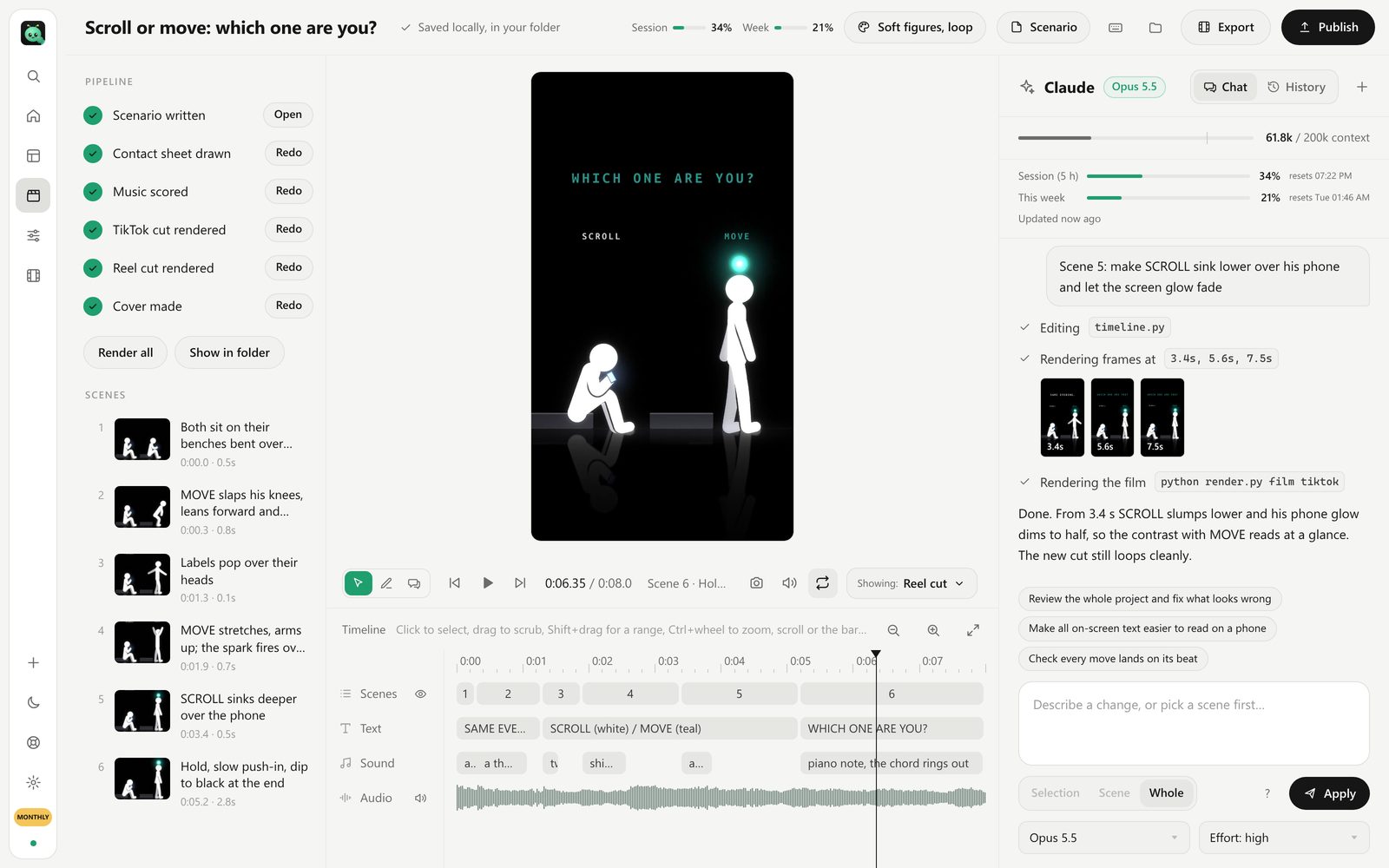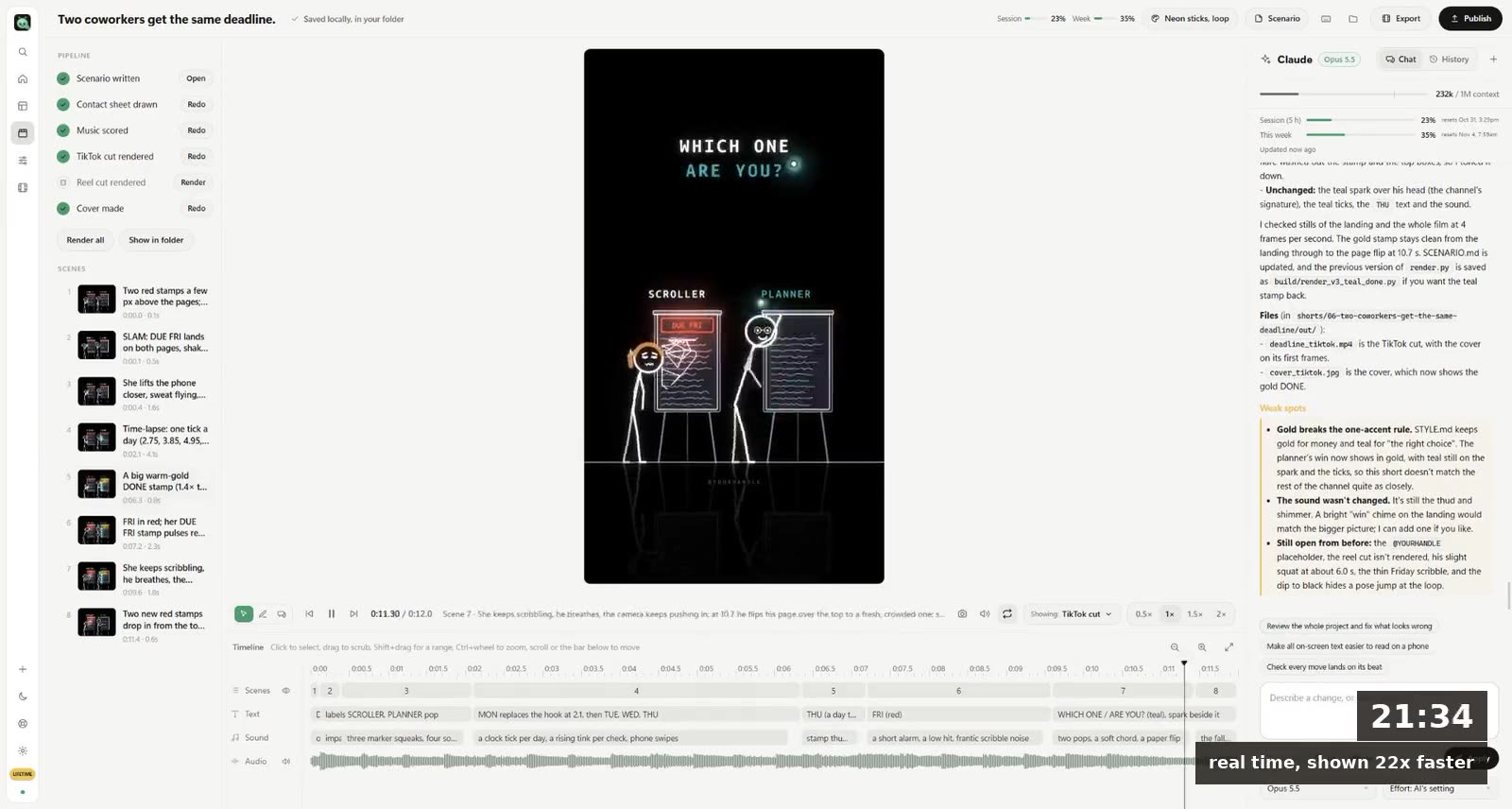
To make a cartoon with AI: write the story as one moment with a turn, design your character once and keep that design, then let an AI draw and animate each scene in one fixed style, add a voice or words on screen, and export a vertical cut. A 15-second cartoon takes one sentence and about 20 minutes, most of it waiting.
The hard part was never drawing. It's keeping the same character from scene one to scene six, and that decides which kind of AI tool you should use.
Two kinds of AI cartoon makers
Most "AI cartoon generators" are one of these:
| Video model (Sora, Veo, Kling, Runway) | Code-drawn animation (Claude or Codex) | |
|---|---|---|
| How it works | Predicts pixels frame by frame | Writes code that draws every frame |
| Same character in every scene | Drifts: face, clothes and colours change | Same drawing every time, because it's the same code |
| Text on screen | Often misspelled | Exact |
| Changing one scene | Generate it again and hope | Ask for the change; the rest stays |
| Looks | Realistic, 3D, painterly | Flat, line art, comic, stickers, neon, paper cut |
| Length | Clips of a few seconds | As long as the story |
Video models win when you want a cartoon that looks like a Pixar still. For a channel, where the same character has to show up in 30 shorts, code-drawn wins. We go into the difference in text to animation AI.
Everything below uses the second kind.
Step 1: Write the story as one moment
A cartoon short isn't a plot. It's one moment with a turn, small enough to tell in two sentences:
"A cat waits all day by the door for its owner. When she finally comes home, it pretends it doesn't care."
Problem, turn, feeling. If you need a third sentence to explain it, cut the story down, not the sentences.
What goes wrong: starting with "a cartoon about a cat". The AI then invents the story, and an invented story is the average of every cat cartoon ever made.
Step 2: Design the character once
Decide what your character looks like in words before anything is drawn: shape of the head, two colours, one thing nobody else has (a scarf, one ear down, a glowing outline). Keep it simple. A character a child could draw from memory reads at phone size and is easy for the AI to repeat.
Then keep that description. Every video on the channel starts from it.
Our own channel's characters are about as simple as it gets: glowing line figures with big cartoon heads on black. "Who holds your rope?", two of them and a rope, reached 9.3 million views on Instagram in five days. Nobody watched for the drawing quality. They watched because they recognised the figures from the short before. (The full story is in how to make stickman animation with AI.)
Step 3: Pick one cartoon style
The style is your channel's face. Pick it once.
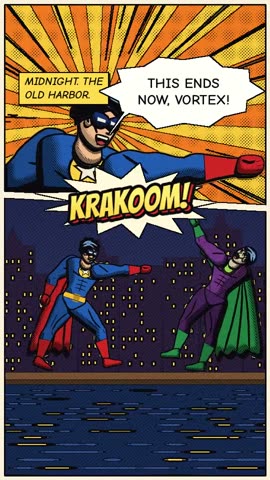 Comic book, one of the hand-made looks.
Looks that work for cartoons in FramePillar: What-if cartoon (big-headed people with faces that blush and sweat), Comics and stickers, 3D cartoon, Comic book, Hand-drawn, Paper cut-out, Pixel art and Neon sticks. Each has its own palette and motion: a Comics and stickers cartoon bounces with squash and stretch, and a Hand-drawn one draws its ink lines on as the pen moves.
What goes wrong: a new style each week. Your viewers stop recognising you, and so does the algorithm's idea of who your videos are for.
Step 4: Let the AI draw and animate it
With FramePillar:
- New video → Start from scratch. Paste the two sentences and the character description.
- Look: your style, Vertical 9:16, 12 to 20 seconds.
- Create video.
Claude (or Codex, if you use ChatGPT) writes a scenario scene by scene, then draws a contact sheet: one still per scene, so you can check the character before anything moves. Look at it closely. If the cat has the wrong ear down in scene three, say so now; it takes a minute to fix here and much longer after the film is made.
Then it animates every scene, scores music, and renders the TikTok cut, the Reel cut and a cover. The first-short lesson shows each screen.
Step 5: Give it a voice, or don't
Two ways to make a cartoon talk:
- Words on screen. Most people scroll with the sound off, so short lines of text in the frame carry the story for everyone. This is the default, and for 15-second cartoons it's usually enough.
- A voice-over or character voices. Connect an ElevenLabs account in Settings and pick a narrator. When several characters talk, each one can have its own voice. Or record your own voice: the app plays the film slowed down to 0.85×, 0.7× or 0.5× so you have time to read.
A cartoon with voices takes longer to get right (timing a line to a mouth is fiddly), so start with words on screen and add voices once a character has fans.
Step 6: Fix scenes by asking
The first version is rarely the one you post. Open the editor, click the scene that's off and say what's wrong: "the cat should look away slower", "make the door red", "hold the last frame for one more second". Only that scene changes.
This is the part video models can't do well. A regenerated clip is a new clip, with a slightly different cat.
Step 7: Make the ending loop
End the cartoon on a frame that leads back into the first one. The cat pretending not to care cuts back to the cat waiting by the door, and half the viewers watch it twice before they notice. Watching twice counts as more than 100% of the video watched, and all three platforms reward that.
Questions
Is there a free AI cartoon generator?
There are free tiers of video models that make a few seconds of cartoon a day, usually with a watermark. FramePillar isn't free (it's $19.90 a month), and it runs on a Claude or ChatGPT plan you may already pay for.
Can I make a cartoon from a photo of myself?
Video models can turn a photo into a cartoon clip. Code-drawn animation works from a description, not a photo, so you'd describe yourself as a character instead: often better for a channel, because the character is easier to repeat.
How long can an AI cartoon be?
With code-drawn animation, as long as you like. FramePillar makes shorts from 5 seconds and wide YouTube videos up to 15 minutes; see how to make a long video.
Can I use AI cartoons commercially?
You can use what you make in FramePillar commercially, on your own channel or for clients. On YouTube, a cartoon channel earns like any other as long as each video is its own; read what YouTube's rules say about AI videos.